

1. Overview of MetaTrader 5
MetaTrader 5 (MT5) is a versatile trading platform widely recognized for its capabilities in facilitating CFD trading. Its comprehensive tools and advanced features cater to traders looking for a robust system to engage in foreign exchange, stocks, and futures markets. A significant benefit of using MT5 is its powerful analytical tools, which include multiple timeframes, advanced technical indicators, and graphical objects, allowing traders to analyze market trends and make well-informed decisions.
However, MT5 does have some limitations depending on specific user needs. For instance, some users find features related to hedging and integration with certain automated trading algorithms to be lacking compared to other platforms. This highlights the importance of exploring alternative platforms that might better align with specific trading strategies and goals.
Exploring other platforms can introduce traders to features that are better suited for specific trading preferences, such as advanced hedging options or better support for certain types of algorithmic trading. This shift can be particularly beneficial for those looking to optimize their trading strategies in the competitive world of forex trading. By considering alternatives, traders can access platforms that offer enhanced usability, specialized analytical tools, or more flexible trading options, potentially leading to improved trading outcomes.

| Key Points | Details |
|---|---|
| Main Benefits of MT5 | Advanced technical analysis, multi-asset trading capabilities |
| Limitations of MT5 | Limited hedging features, may lack certain algorithmic integrations |
| Benefits of Exploring Alternatives | Access to specialized features, potentially better suited for specific trading styles like hedging or forex scalping |
2. Understanding Your Trading Goals
Aligning the features of a trading platform with your trading style and preferred assets is crucial for optimizing your trading effectiveness and efficiency. Different trading platforms cater to different styles of trading—such as scalping, day trading, swing trading, or long-term investing—each with unique requirements in terms of features, user interface, and analytical tools.
For example, scalpers require platforms that can handle rapid transactions and provide real-time data to capitalize on small price changes within minutes. Day traders need robust technical analysis tools to interpret market movements over hours. Swing traders, looking at days to weeks, benefit from platforms that offer extensive charting capabilities and fundamental analysis tools. Finally, long-term investors might prioritize platforms that provide detailed financial analysis and a broader range of investment options.
Moreover, the choice of asset class—whether forex, stocks, or CFDs—also influences the selection of a trading platform. Forex traders often prefer platforms with superior analytical capabilities for currency markets, like MetaTrader, which is renowned for its advanced charting and automated trading features. Stock traders, on the other hand, may prioritize platforms with diverse market access and in-depth financial data, such as those offered by Interactive Brokers (Trade Station).
It’s essential to assess how a platform’s features align with your trading goals and style:
- User-Friendly Interface: The platform should be intuitive and easy to navigate, which is particularly important for beginners.
- Real-Time Market Data: Essential for all trading styles to ensure timely decision-making.
- Order Types and Execution: Fast and reliable execution is critical, especially for styles like scalping and day trading that depend on market timing.
- Charting and Technical Analysis Tools: Necessary for detailed market analysis, especially useful for day and swing traders.
- Mobile Trading: Provides flexibility to trade on the go, which might be crucial depending on your lifestyle and daily routine.
- Research Resources: Platforms offering comprehensive research tools can provide a competitive edge by enhancing your market understanding.
Ultimately, the best platform for you should enhance your trading efficiency, conform to your trading style, and support your preferred asset classes with appropriate tools and functionalities.
| Feature | Importance for Trading Style |
|---|---|
| User-Friendly Interface | Crucial for beginners, beneficial for all |
| Real-Time Market Data | Essential for scalping and day trading, useful for all |
| Order Types and Execution | Critical for time-sensitive trading styles like scalping |
| Charting Tools | Key for day traders and swing traders for detailed analysis |
| Mobile Trading | Important for traders who need flexibility |
| Research Resources | Advantageous for long-term strategic planning and analysis |
3. Top 5 MetaTrader 5 Alternatives
3.1. cTrader
cTrader stands out as a robust MetaTrader 5 alternative, particularly favored by forex and CFD traders who seek advanced trading features and direct market access. This platform is renowned for its user-friendly interface and sophisticated charting tools, making it accessible for both novice and experienced traders. cTrader facilitates a seamless trading experience through its high-speed execution and real-time order processing, which is critical for strategies that require quick market entry and exit.
Key features of cTrader include:
- Advanced Charting: cTrader offers extensive chart customization options, including multiple time frames and over 70 pre-installed indicators, catering to detailed technical analysis.
- Algorithmic Trading: The platform supports algorithmic trading via cAlgo, allowing traders to write and implement trading robots in C#, which can be backtested using historical data to optimize performance.
- Direct Market Access (DMA): cTrader provides direct connections to a network of liquidity providers, which enhances the transparency and speed of trade execution. This feature is particularly beneficial for traders looking for competitive spreads and faster execution.
- Copy Trading: cTrader also offers a copy trading feature, enabling less experienced traders to replicate the strategies of more seasoned traders, thus leveraging community knowledge and experience.
- Risk Management Tools: Comprehensive risk management tools such as stop-loss orders, margin call alerts, and trailing stops help traders manage their exposure and safeguard their investments.
Overall, cTrader is an excellent choice for traders who prioritize speed, reliability, and advanced technical capabilities. It’s particularly suited for those engaged in scalping and day trading due to its fast execution speeds and robust platform stability.

| Feature | cTrader | MetaTrader 5 (MT5) |
|---|---|---|
| Interface | User-friendly, intuitive, customizable interface | User-friendly but more complex, highly customizable |
| Charting Tools | Advanced charting with over 70 indicators, customizable | Extensive charting options, supports custom indicators |
| Execution Type | Direct Market Access (DMA) for faster execution | Market maker and some DMA capabilities |
| Algorithmic Trading | Supports algorithms via cAlgo, uses C# language | MQL5 language for creating and running trading robots |
| Copy Trading | cTrader Copy available for social trading | Supports copy trading but less integrated than cTrader |
| Trading Instruments | Focus on Forex and CFDs, multiple asset classes | Wide range of instruments including Forex, stocks, etc. |
| Platform Availability | Desktop, web, and mobile versions | Desktop, web, and mobile versions |
| Market Access | Provides transparency with Level II pricing | Provides market depth but can vary between brokers |
| Risk Management Tools | Comprehensive tools including stop-loss, take-profit | Standard risk management tools |
| Speed and Reliability | High-speed trade execution, reliable platform | Generally reliable but speed can depend on broker |
3.2. TradingView
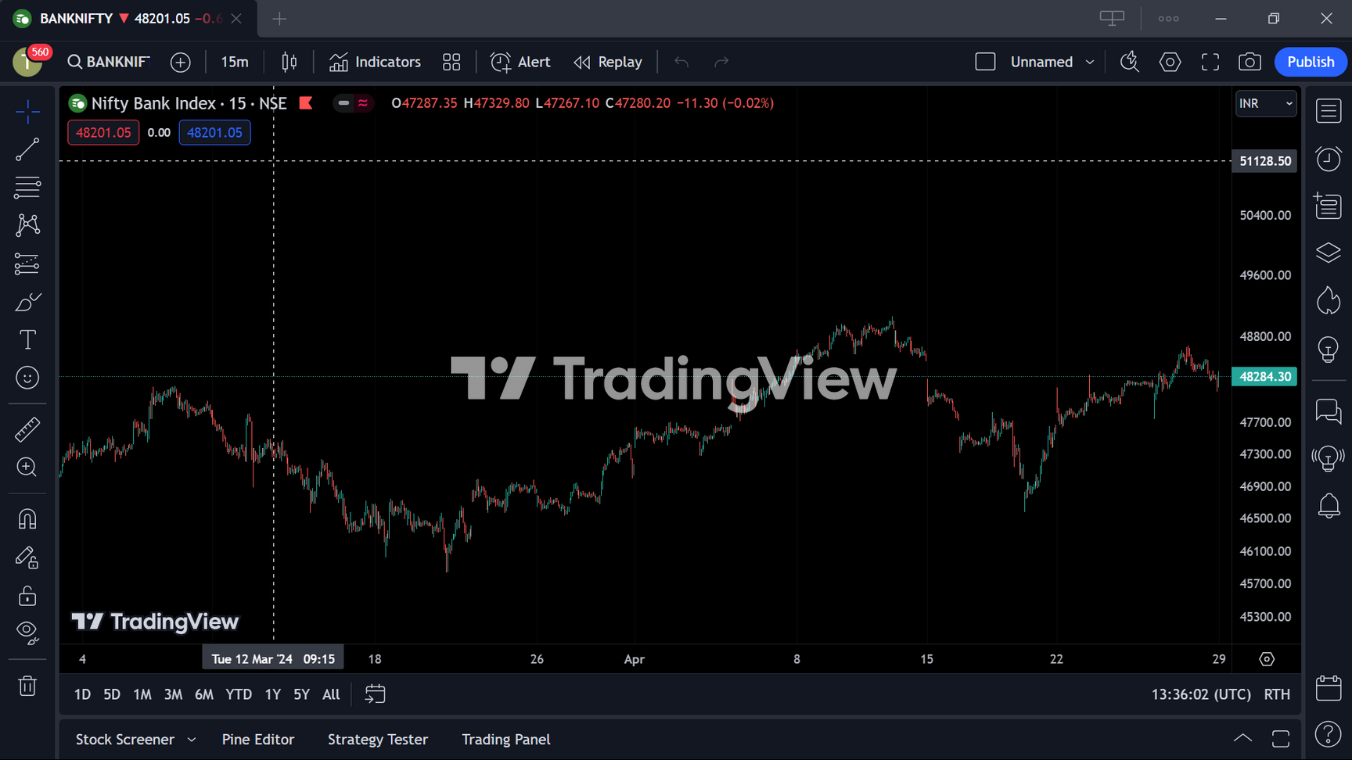
TradingView is a highly acclaimed charting and social trading platform that is particularly beneficial for traders interested in technical analysis and community interaction. Known for its robust charting capabilities, TradingView offers an extensive range of indicators and drawing tools, making it an ideal platform for detailed market analysis.
Key Features of TradingView:
- Advanced Charting Tools: Provides a variety of chart types and over 100 technical indicators, which can be customized to fit any trading strategy.
- Social Trading Features: Boasts a vibrant community of over 30 million users where traders can share and discuss trading ideas and strategies.
- Paper Trading: Offers a simulated trading environment where users can practice trading without financial risk, using a virtual portfolio.
- Broker Integration: Allows direct trading from the platform by integrating with multiple brokerage accounts, enhancing trading efficiency.
- Multi-Device Support: Accessible via web, desktop, and mobile applications, ensuring traders can monitor the markets and trade from anywhere.
| Feature | TradingView | MetaTrader 5 (MT5) |
|---|---|---|
| Charting Tools | Advanced with over 100 indicators, customizable | Extensive, supports custom indicators |
| Social Trading | Vibrant community, social sharing of strategies | Limited social trading features |
| Automated Trading | Supports scripting with Pine Script | Advanced with MQL5, more robust automation |
| Asset Coverage | Stocks, Forex, Crypto, and more | Primarily Forex, CFDs, Futures |
| Platform Accessibility | Web, desktop, mobile | Desktop, web, and mobile |
| Broker Integration | Direct trading with multiple brokers | Limited direct trading, depends on the broker |
| User Interface | Highly intuitive and user-friendly | User-friendly but can be complex |
| Community and Education | Extensive educational resources, large community | Educational resources available but smaller community |
3.3. Interactive Brokers TWS (Trader Workstation)
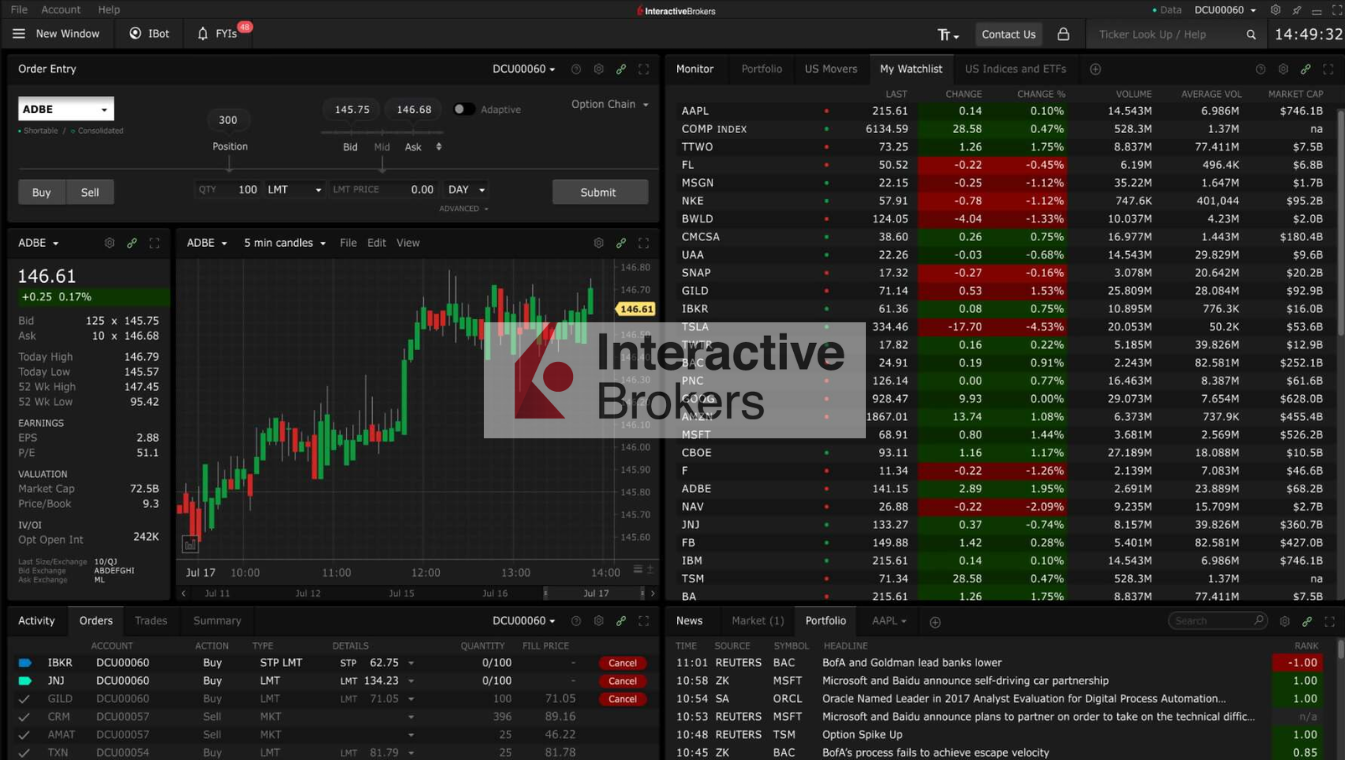
Interactive Brokers TWS (Trader Workstation) is an advanced trading platform designed for professional and active traders, providing access to a wide range of global markets and diverse investment products including stocks, options, futures, forex, bonds, and funds.
Key Features of Interactive Brokers TWS:
- Extensive Asset Coverage: TWS offers global market access, enabling trading in stocks, ETFs, options, futures, forex, and more across over 135 markets worldwide.
- Advanced Trading Tools: The platform includes over 100 order types and algorithms, sophisticated risk management tools, and a wide array of analytical tools, including charting capabilities and real-time monitoring.
- Paper Trading: TWS includes a paper trading feature that allows traders to practice their trading strategies in a simulated environment without risking real money.
- Customization and Usability: Despite its comprehensive features, TWS is highly customizable and includes tools like hotkeys and a flexible workspace that can be tailored to individual trading styles.
Interactive Brokers TWS is best suited for experienced traders who need robust trading tools and access to a wide range of financial instruments across global markets.
| Feature | Interactive Brokers TWS | MetaTrader 5 (MT5) |
|---|---|---|
| Asset Coverage | Extensive, including global markets | Primarily forex and CFDs, some stock capabilities |
| Order Types and Algos | Over 100 types, highly advanced | Numerous, but less variety compared to TWS |
| Platform Accessibility | Desktop primarily, with mobile and web components | Desktop, web, and mobile |
| Commission Structure | Very low, beneficial for high-volume traders | Variable, often broker-dependent |
| Automated Trading | Supported, but less focus than MT5 | Extensive automated trading features |
| Risk Management Tools | Advanced risk assessment and management tools | Standard risk management tools |
| Paper Trading | Robust simulation features | Simulation features available |
| User Interface | Highly customizable, steep learning curve | User-friendly, customizable |
3.4. NinjaTrader
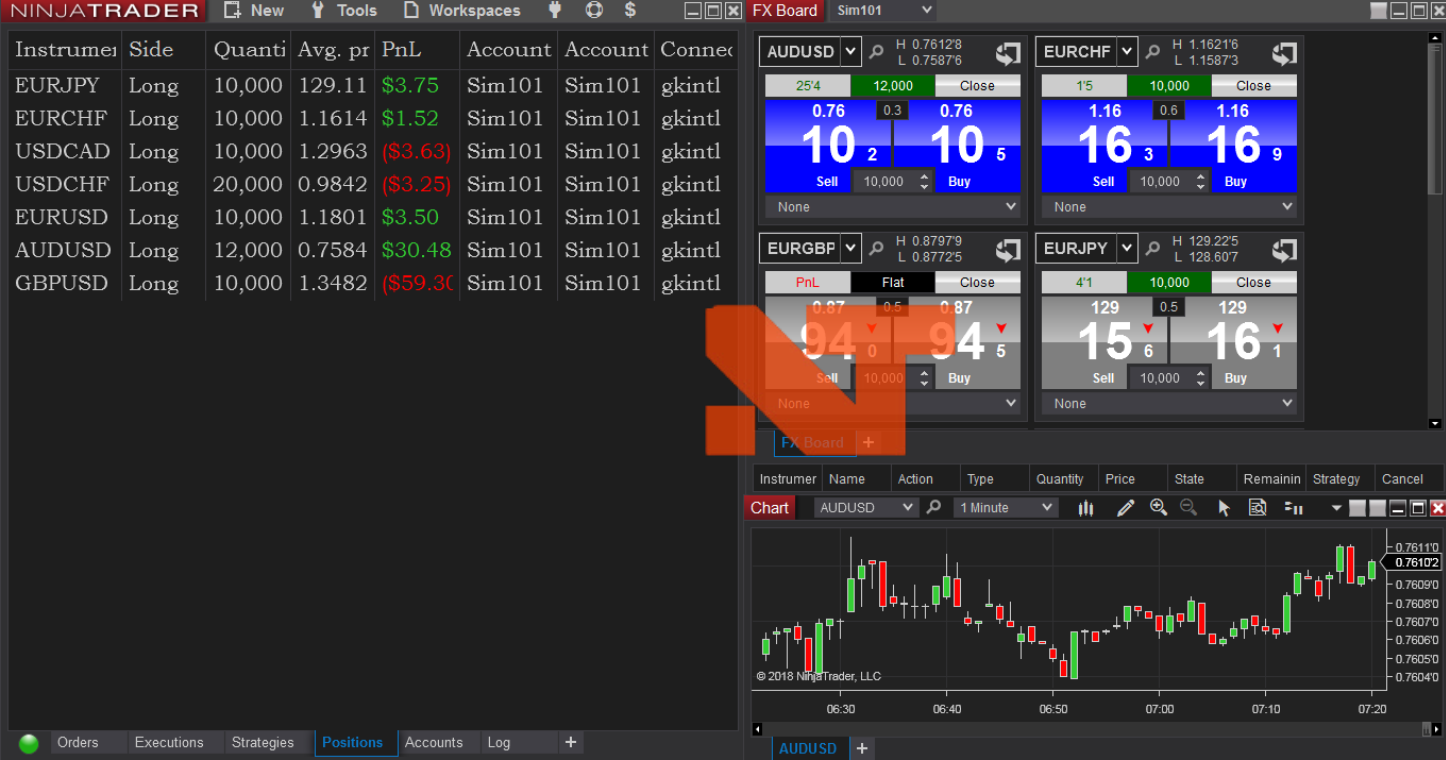
NinjaTrader is a specialized trading platform that caters primarily to active futures and forex traders but also supports stocks trading via brokerage partners. It is renowned for its advanced charting, trade simulation, and backtesting capabilities which make it a favorite among technically oriented traders.
Key Features of NinjaTrader:
- Advanced Charting and Trading Tools: NinjaTrader offers extensive options for technical analysis, including over 100 pre-built technical indicators and a robust system for creating custom indicators and automated trading strategies using NinjaScript.
- Trade Simulation: Allows users to practice trading strategies in a simulated environment without financial risk, which is particularly useful for new traders or testing new strategies.
- Market Analysis and Alerts: Provides powerful market analytics tools and configurable alerts to help traders make informed decisions based on real-time data.
- Third-Party Integration: Supports a vast array of third-party applications and add-ons, enhancing its functionality and allowing traders to customize their trading environment extensively.
NinjaTrader’s advanced technical capabilities and customization options make it particularly well-suited for traders who rely heavily on technical analysis and who desire a high level of control over their trading environment.
| Feature | NinjaTrader | MetaTrader 5 (MT5) |
|---|---|---|
| Primary Focus | Futures and forex trading | Multi-asset trading including stocks and futures |
| Charting Tools | Advanced charting with extensive customization | Extensive charting capabilities |
| Automated Trading | Supports automated trading with NinjaScript | Supports automated trading with MQL5 |
| Simulation and Testing | Robust trade simulation and backtesting capabilities | Includes strategy tester for backtesting |
| Third-Party Integration | Extensive support for third-party apps and add-ons | Limited third-party integration compared to NinjaTrader |
| User Interface | Highly customizable, steep learning curve | User-friendly and customizable |
| Market Analysis Tools | Advanced market analysis tools and alerts | Standard analysis tools and alerts |
| Community and Support | Active community with numerous learning resources | Wide community support but fewer tailored resources |
3.5. thinkorswim
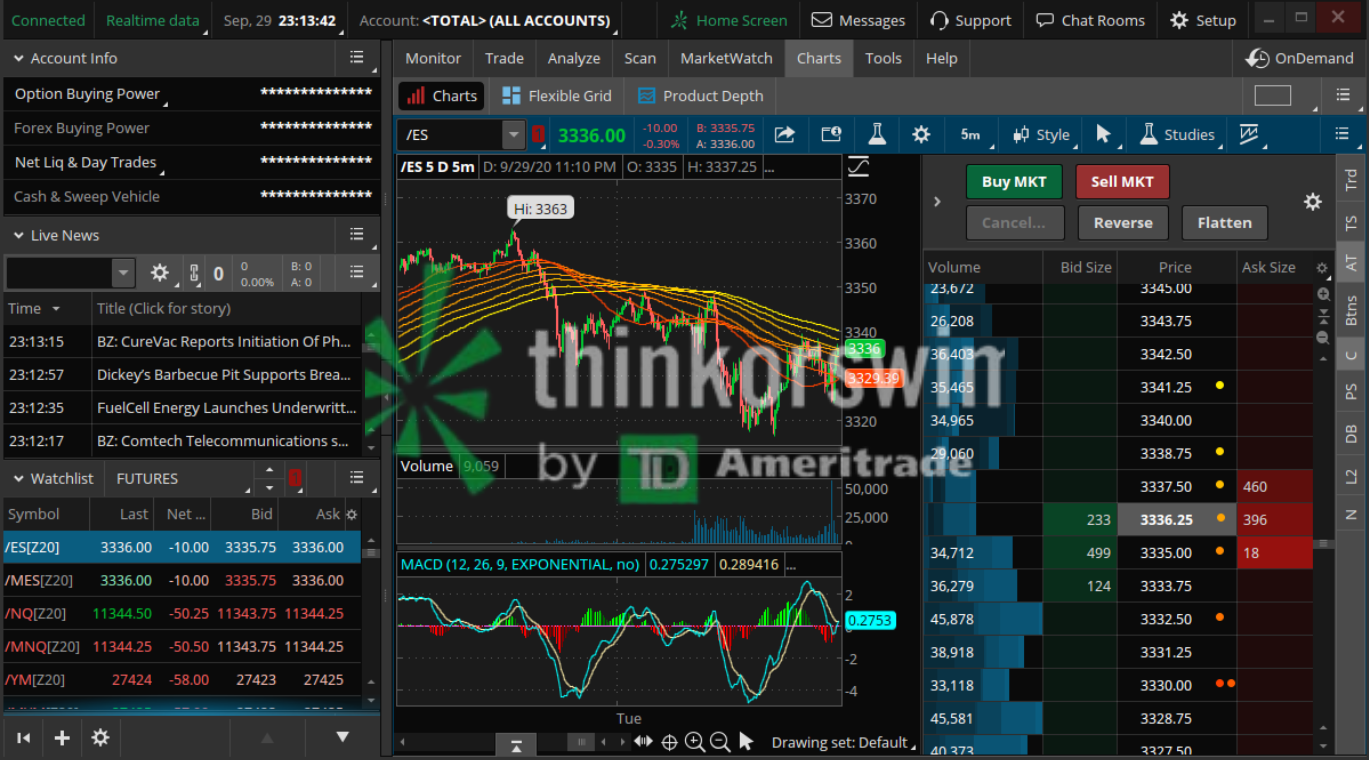
thinkorswim (ToS) is a sophisticated trading platform provided by TD Ameritrade, now part of Charles Schwab, designed for active traders looking for robust trading tools and features. The platform is well-regarded for its comprehensive charting capabilities, technical analysis tools, and advanced trading features.
Key Features of thinkorswim:
- Advanced Charting and Analysis Tools: Offers over 300 technical indicators, customizable charting, and various drawing tools, making it ideal for detailed market analysis.
- Wide Range of Investment Options: Supports trading in stocks, options, futures, and forex across various markets.
- Paper Trading: Includes a simulation feature that allows traders to practice strategies using virtual money without risking real capital.
- Extensive Customization: Users can personalize dashboards, set up alerts, and save multiple trading environments to suit their trading style.
- Educational Resources: Provides a plethora of educational materials and tutorials to help users navigate and make the most of the platform’s capabilities.
thinkorswim is particularly suited for traders who require robust and detailed analysis tools combined with high customization to enhance their trading experience.
| Feature | thinkorswim | MetaTrader 5 (MT5) |
|---|---|---|
| Asset Classes | Stocks, options, futures, forex | Forex, stocks, futures, CFDs |
| Charting and Analysis Tools | Extensive, with over 300 technical indicators | Extensive, customizable but with fewer indicators |
| Paper Trading | Available on both desktop and mobile versions | Available, mostly used for forex |
| Customization | Highly customizable interface and features | Customizable, though not as extensive as ToS |
| User Interface | User-friendly but with a complex array of tools | User-friendly, slightly less complex |
| Educational Resources | Rich educational content and live webinars | Standard educational offerings |
| Mobile Trading | Full-featured mobile app available | Mobile app available but with limited features |
4. Choosing the Right Platform for You
Choosing the right trading platform is a critical decision that can significantly affect your trading effectiveness and efficiency. The selection process should be approached with a detailed understanding of your trading goals and the specific tools you require to achieve them. Here’s a detailed overview of the key factors to consider:
- Assess the Fees and Commissions: Every platform has its fee structure, which can include commissions, spread fees, and account maintenance fees. It’s important to choose a platform that balances reasonable fees with robust service offerings.
- Evaluate the Trading Tools and Features: The right platform should match your trading style. Whether you need advanced charting tools, automated trading options, or just basic trading capabilities, ensure the platform can support your trading activities effectively.
- Consider Platform Security and Reliability: Security is paramount in online trading. Ensure that the platform has strong security measures in place, such as two-factor authentication and data encryption, and is regulated by reputable financial authorities.
- User Interface and Usability: The platform should be easy to navigate and use. A user-friendly interface can significantly enhance your trading experience, making it easier to execute trades quickly and efficiently.
- Mobile Accessibility: With the increasing need for mobility, a good trading platform should offer a reliable mobile application that allows you to execute and monitor trades from anywhere at any time.
- Customer Support: Good customer service is crucial. The platform should provide responsive and knowledgeable support through multiple channels like live chat, email, and phone.
- Education and Research Tools: Especially for beginners, platforms that offer comprehensive educational resources such as webinars, tutorials, and market insights can be very beneficial. These tools help you make informed decisions and keep up with market trends.
- Asset Availability: Depending on your trading strategy, you may require access to various markets, including stocks, forex, or cryptocurrencies. Make sure the platform you choose offers the assets you’re interested in trading.
- Platform Reputation and User Reviews: Research the platform’s reputation and read user reviews to gauge other traders’ experiences. A platform with a positive track record is generally a safer bet.
- Trial and Flexibility: Finally, many platforms offer trial periods or demo accounts, which allow you to test the platform’s features and usability without financial risk.
| Criteria | Description |
|---|---|
| Fees and Commissions | Evaluate costs relative to services offered. |
| Trading Tools and Features | Ensure the platform supports your trading needs and style. |
| Security and Reliability | Confirm strong security measures and regulatory compliance. |
| User Interface | Look for ease of use and efficient navigation. |
| Mobile Accessibility | Check for a functional mobile app for trading on the go. |
| Customer Support | Seek platforms with responsive support options. |
| Educational Resources | Prefer platforms that offer learning tools and market analysis. |
| Asset Availability | Ensure availability of desired markets and asset classes. |
| Reputation and Reviews | Consider user feedback and platform’s market standing. |
| Trial and Flexibility | Explore trial options to test platform features. |
Conclusion
Exploring alternatives to MetaTrader 5 (MT5) offers traders tailored features that may better suit specific trading needs, including advanced charting tools, customizable interfaces, and diverse financial instruments. Each platform has its strengths, particularly in areas where MT5 may fall short, such as mobile trading capabilities or integration with newer financial markets.
Different platforms come with varying cost structures and regulatory environments, offering advantages depending on the trader’s strategies and geographical location. For instance, platforms like Robinhood might appeal to those seeking low-cost equity trading, while Binance serves well for crypto traders seeking depth in coin offerings and advanced trading features.
Finally, continuous personal research and staying informed about platform updates are essential. Traders should utilize demo accounts to experience platform features firsthand and keep abreast of changes in trading regulations and technology. This proactive approach ensures traders can adapt to market evolutions and refine their trading strategies over time.