
1. Head-to-Head Comparison
Let’s start by comparing the basic features of Tradingview and TradeStation in four categories: charting prowess, trading tools, educational resources, and pricing and fees.

1.1. Charting Prowess
Charting is one of the most essential aspects of trading, as it allows you to visualize the price movements, identify the trends, patterns, and signals, and apply various technical analysis tools and indicators. Both Tradingview and TradeStation offer powerful and advanced charting capabilities, but they have some differences as well.
Tradingview
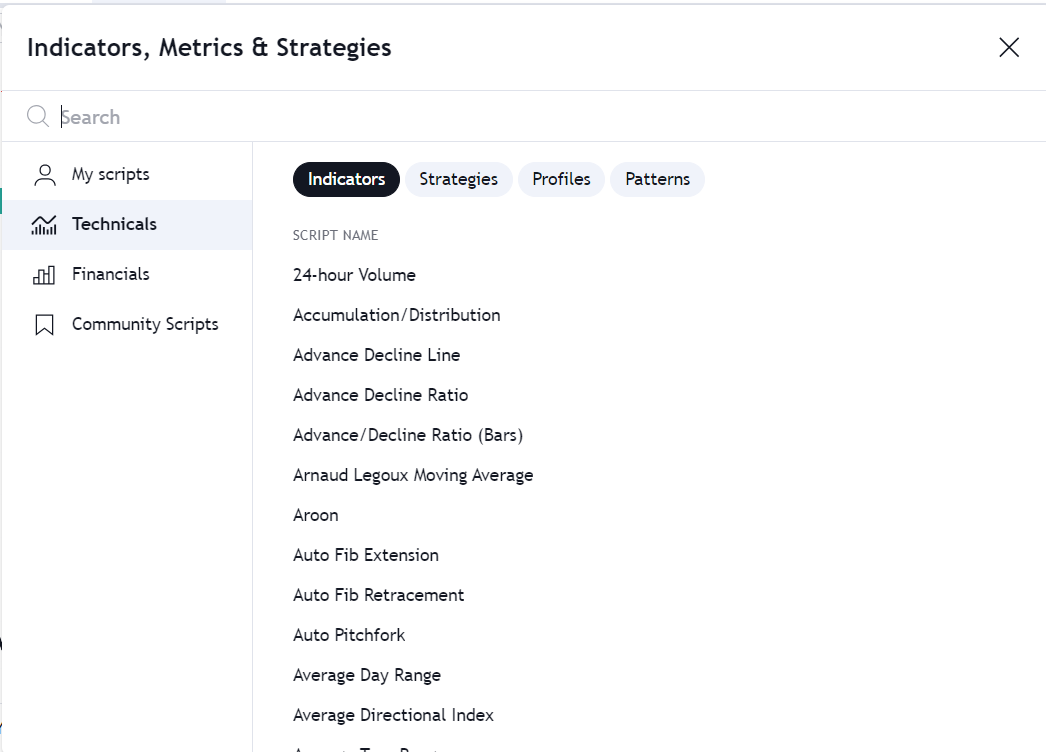
Tradingview is a web-based platform that provides access to over 50 global exchanges and thousands of financial instruments, including stocks, forex, cryptocurrencies, futures, options, and more. Tradingview has a user-friendly and intuitive interface that allows you to customize your charts with different time frames, styles, layouts, and themes. You can also draw various shapes, lines, and annotations on your charts, and use over 100 built-in indicators and drawing tools, or create your own using Pine Script, a programming language designed for trading.
Tradingview also has a feature called Tradingview Charts, which allows you to embed interactive and responsive charts on your website or blog, and share them with your audience. You can also publish your trading ideas and analysis on Tradingview’s social network, where you can interact with other traders, follow their ideas, and get feedback.
TradeStation
TradeStation is a desktop-based platform that provides access to the US markets, including stocks, options, futures, and cryptocurrencies. TradeStation has a powerful and robust charting engine that allows you to create and analyze complex charts with high-quality data and fast execution. You can also use over 150 built-in indicators and strategies or create your own using EasyLanguage, a programming language for trading.

TradeStation also has a feature called TradeStation Analytics, which allows you to test and optimize your trading strategies using historical and real-time data and perform backtesting, walk-forward testing, and Monte Carlo simulation. You can also use TradeStation’s RadarScreen, a market scanning and ranking tool that helps you find trading opportunities based on your criteria.
1.2. Trading Tools
Trading tools are the features that help you execute and manage your trades, such as order placement, alerts, paper trading, and more. Both Tradingview and TradeStation offer a variety of trading tools, but they have some differences as well.
Tradingview
Tradingview allows you to place orders directly from your charts, using the Trading Panel feature. You can connect your Tradingview account to your broker’s account, and execute your trades with a few clicks. However, Tradingview does not support all brokers, and some brokers may charge additional fees for using Tradingview. You can also use Tradingview’s Paper Trading feature, which allows you to practice your trading skills and strategies with virtual money, without risking real money.
Tradingview also has a feature called Alerts, which allows you to set up notifications for various events, such as price movements, indicators, and trading signals. You can receive alerts via email, SMS, or push notifications on your mobile device. You can also use Tradingview’s social features, such as private messages, and comments, to communicate with other traders, share your insights, and learn from others.
TradeStation
TradeStation allows you to place orders from various platforms, such as the desktop platform, the web platform, or the mobile app. You can also use TradeStation’s advanced trade tools, such as Matrix, OptionStation Pro, and TradeManager, to enhance your trading experience. Matrix is a one-click trading and order management tool that allows you to view and modify your orders and positions in real-time. OptionStation Pro is a tool for options traders that allows you to analyze, optimize, and execute options strategies. TradeManager is a tool that allows you to monitor and manage your account, orders, and positions.
TradeStation also has a feature called Direct Market Access, which allows you to access various market venues, such as ECNs, ATSs, and dark pools, and execute your trades with lower latency and higher liquidity. You can also use TradeStation’s commission structures, such as per-share, per-contract, or unbundled pricing, to reduce your trading costs and optimize your profitability.
1.3. Educational Resources
Educational resources are the features that help you learn and improve your trading skills and knowledge, such as tutorials, videos, webinars, courses, and more. Both Tradingview and TradeStation offer a range of educational resources, but they have some differences as well.
Tradingview
Tradingview has a large and active community forum, where you can find and join discussions on various topics, such as trading strategies, market analysis, indicators, and more. You can also find and follow other traders, who share their trading ideas and insights on the platform. You can also watch educational videos, created by Tradingview or other users, that cover various aspects of trading, such as charting, indicators, strategies, and more.
However, Tradingview does not have a built-in educational library, where you can access structured and comprehensive courses or materials on trading. You have to rely on external sources, such as books, blogs, podcasts, or online courses, to learn more about trading.
TradeStation
TradeStation has a comprehensive and extensive educational library, where you can access various resources on trading, such as articles, guides, tutorials, videos, webinars, podcasts, and more. You can also enroll in TradeStation’s online academy courses, which are designed for traders of different levels and cover various topics, such as trading basics, technical analysis, options trading, strategy development, and more.
TradeStation also has a feature called TradeStation research window, which is a research and analysis portal that provides you with market insights, reports, indicators, and strategies created by TradeStation’s experts and analysts. You can also use TradeStation’s events calendar, which shows you the upcoming webinars, workshops, and seminars, where you can learn from TradeStation’s instructors and guest speakers.
1.4. Pricing and Fees
Pricing and fees are the costs that you have to pay for using the trading platform and executing your trades, such as subscription fees, commissions, spreads, and more. Both Tradingview and TradeStation have different pricing and fee structures, depending on the features and services that you use.
Tradingview
Tradingview has a free basic plan, which allows you to access the platform and use some of its features, such as charting, indicators, alerts, and social networks. However, the free plan has some limitations, such as only 2 indicators per chart, only 1 alert, only 1 saved chart layout, and delayed data for some markets. If you want to unlock more features and benefits, such as more indicators, more alerts, more saved chart layouts, real-time data, custom intervals, and more, you have to upgrade to one of the paid plans.
Tradingview offers four paid plans: Essential, Plus, and Premium. The Essential plan costs $14.95 per month, the Plus plan costs $29.95 per month, the Premium plan costs $59.95 per month. Each plan has different features and benefits, and you can compare them on Tradingview’s website. You can also save up to 16% if you pay annually instead of monthly.
In addition to the subscription fees, you may also have to pay commissions, spreads, and other fees to your broker, depending on the broker that you use and the market that you trade. Tradingview does not charge any commissions or spreads, but it does require paid plans to view market data feed older than 7 years.
2. Deep Dive into Key Features
Now that we have compared the basic features of Tradingview and TradeStation, let’s take a deeper look at some of the key features that make them stand out from other trading platforms. We will focus on four aspects: beginner friendliness, day trading features, options trading support, and advanced features.
2.1. Beginner Friendliness
Beginner friendliness is the measure of how easy and convenient it is for a new trader to use the platform and learn the ropes of trading. It includes factors such as user interface, learning curve, ease of navigation, and availability of help and support. Both Tradingview and TradeStation have different levels of beginner friendliness, depending on the features and services that they offer.
Tradingview
Tradingview is a web-based platform that has a simple and intuitive user interface, which makes it easy for beginners to navigate and use. You can access the platform from any device and browser, without having to install any software or download any data. You can also customize your charts and workspace according to your preferences and needs, and switch between different themes and languages.

Tradingview also has a low learning curve, as it provides various tutorials, videos, and guides on how to use the platform and its features. You can also learn from other traders, who share their trading ideas and insights on the platform, and join the community forum, where you can ask questions, get answers, and participate in discussions. You can also contact Tradingview’s customer support via email or chat, if you encounter any issues or problems.
TradeStation
TradeStation is a desktop-based platform that has a complex and sophisticated user interface, which makes it challenging for beginners to navigate and use. You have to install the software and download the data on your computer, which may take some time and space. You also have to deal with multiple windows, tabs, menus, and toolbars, which may overwhelm and confuse you.

TradeStation also has a high learning curve, as it requires you to have some prior knowledge and experience in trading and programming. You have to learn how to use the platform and its features, such as charting, indicators, strategies, testing, and optimization. You also have to learn how to use EasyLanguage, a programming language for trading, which allows you to create custom indicators and strategies. You can access TradeStation’s educational resources, such as articles, videos, webinars, and courses, but they may not be enough for beginners.
2.2. Day Trading Features
Day trading features are the features that help you perform technical analysis, access real-time data, and execute trades quickly and efficiently. They include factors such as indicators, data feeds, order execution speed, and more. Both Tradingview and TradeStation offer a range of day trading features, but they have some differences as well.
Tradingview
Tradingview has a variety of indicators and drawing tools that help you perform technical analysis on your charts. You can use over 100 built-in indicators and drawing tools, or create your own using Pine Script. You can also apply multiple indicators on the same chart, and use custom intervals and time frames. You can also use Tradingview’s Trading Panel to place orders directly from your charts, and use the Paper Trading feature to practice your trading skills and strategies with virtual money.
Tradingview also has access to real-time data for various markets and instruments, such as stocks, forex, cryptocurrencies, futures, options, and more. However, some data feeds may require a paid subscription, such as CME, NYSE, and NASDAQ. You can also use Tradingview’s Alerts feature to set up notifications for various events, such as price movements, indicators, and trading signals. You can receive alerts via email, SMS, or push notifications on your mobile device.
TradeStation
TradeStation has a powerful and robust charting engine that allows you to create and analyze complex charts with high-quality data and fast execution. You can use over 150+ built-in indicators and strategies or create your own using EasyLanguage. You can also use TradeStation’s RadarScreen, a market scanning and ranking tool that helps you find trading opportunities based on your criteria. You can also use TradeStation’s Matrix, a one-click trading and order management tool that allows you to view and modify your orders and positions in real-time.
TradeStation also has access to real-time data for the US markets and instruments, such as stocks, options, futures, and cryptocurrencies. You can also use TradeStation’s Direct Market Access feature, which allows you to access various market venues, such as ECNs, ATSs, and dark pools, and execute your trades with lower latency and higher liquidity. You can also use TradeStation’s commission structures, such as per-share, per-contract, or unbundled pricing, to reduce your trading costs and optimize your profitability.
2.3. Options Trading Support
Options trading support is the measure of how well the platform caters to the needs and goals of options traders. It includes factors such as option chains, strategies, risk management tools, and more. Both Tradingview and TradeStation offer some options trading support, but they have some differences as well.
Tradingview
Tradingview allows you to access and trade options on various markets and instruments, such as stocks, forex, futures, and cryptocurrencies. You can use Tradingview’s charting and analysis tools to perform technical analysis on the underlying assets, and use the Trading Panel to place orders directly from your charts. You can also use Tradingview’s Paper Trading feature to practice your options trading skills and strategies with virtual money.
However, Tradingview does not have a dedicated tool for options trading, such as an option chain, where you can view and analyze the different strike prices, expiration dates, and option prices. You have to rely on external sources, such as your broker’s platform or website, to access and use an option chain. You also have to manually calculate and manage your options risk and reward, such as the breakeven point, the profit and loss potential, and the Greeks, which are the factors that affect the option price.
TradeStation
TradeStation has a dedicated tool for options trading, called OptionStation Pro, which allows you to access and trade options on the US markets and instruments, such as stocks, options, futures, and cryptocurrencies. You can use OptionStation Pro to view and analyze an option chain, where you can see the different strike prices, expiration dates, and option prices. You can also use OptionStation Pro to create, optimize, and execute options strategies, such as spreads, straddles, strangles, and more.
TradeStation also has a feature called Option Analysis, which allows you to calculate and manage your options risk and reward, such as the breakeven point, the profit and loss potential, and the Greeks. You can also use TradeStation’s charting and testing tools to perform technical and fundamental analysis on the underlying assets, and use TradeStation’s Matrix or TradeManager to place and manage your orders.
2.4. Advanced Features
Advanced features are the features that help you enhance and automate your trading performance, such as backtesting, paper trading, algorithmic trading, and portfolio management. They include factors such as strategy testing, optimization, simulation, execution, and analysis. Both Tradingview and TradeStation offer some advanced features, but they have some differences as well.
Tradingview
Tradingview has a scripting language called Pine Script, which is a programming language for trading, that allows you to create custom indicators and strategies. You can use Pine Script to code your own trading logic, rules, and conditions, and apply them to your charts. You can also use Pine Script to backtest your strategies, which means testing them on historical data to see how they would have performed in the past. You can also use Tradingview’s Paper Trading feature to forward test your strategies, which means testing them on real-time data with virtual money.
However, Tradingview does not have a feature that allows you to optimize your strategies, which means finding the best parameters and settings for your strategies to maximize your profit and minimize your risk. You have to manually adjust and tweak your parameters and settings, and run multiple backtests and forward tests, to find the optimal values. You also have to manually execute your strategies, which means placing and managing your orders according to your strategy’s signals. You cannot automate your strategy execution, which means letting the platform execute your orders for you based on your strategy’s signals.
TradeStation
TradeStation has support for EasyLanguage, which is a programming language for trading, that allows you to create custom indicators and strategies. You can use EasyLanguage to code your own trading logic, rules, and conditions and apply them to your charts. You can also use EasyLanguage to backtest, optimize, and automate your strategies. You can use TradeStation’s Analytics feature to test and optimize your strategies using historical and real-time data, and perform backtesting, walk-forward testing, and Monte Carlo simulation. You can also use TradeStation’s Strategy Automation feature to automate your strategy execution, which means letting the platform execute your orders for you based on your strategy’s signals.
TradeStation also has a feature called Portfolio Maestro, which is a portfolio management and analysis tool that allows you to create, test, optimize, and automate portfolios of multiple strategies and instruments. You can use Portfolio Maestro to analyze the performance, risk, and correlation of your portfolio, and optimize your portfolio allocation and rebalancing. You can also use Portfolio Maestro to automate your portfolio execution, which means letting the platform execute your orders for you based on your portfolio’s signals.
3. SWOT Analysis
SWOT analysis is a strategic planning tool that helps you evaluate a product’s strengths, weaknesses, opportunities, and threats. In this section, we will conduct a SWOT analysis of Tradingview and TradeStation based on the key features that we discussed in the previous sections. We will compare the internal and external factors that affect the performance and potential of each platform.
3.1. Strengths and Weaknesses
Strengths and weaknesses are the internal factors that influence the platform’s capabilities and limitations. They include factors such as features, benefits, quality, usability, and customer satisfaction. Both Tradingview and TradeStation have different strengths and weaknesses, depending on the aspects which they excel or lag in.
Tradingview
Tradingview’s main strengths are its web-based, user-friendly, and customizable interface, its extensive charting and analysis tools, its social network and community forum, and its access to multiple markets and instruments. These strengths make Tradingview a versatile and flexible platform that can cater to the needs and preferences of different types of traders, from beginners to experts, and from technical to fundamental analysts.
Tradingview’s main weaknesses are its limited execution functionality, its lack of dedicated tools for options trading and strategy optimization, and its subscription and data feed fees. These weaknesses make Tradingview a less efficient and effective platform for traders who want to execute and manage their trades directly from the platform or who want to trade options or optimize their strategies using advanced tools and techniques.
TradeStation
TradeStation’s main strengths are its powerful and robust charting engine, its advanced trade tools and analytics, its direct market access and commission structures, and its dedicated tools for options trading and strategy automation. These strengths make TradeStation a reliable and efficient platform for traders who want to execute and manage their trades with high speed and accuracy or who want to trade options or automate their strategies using sophisticated tools and techniques.
TradeStation’s main weaknesses are its desktop-based, complex, and sophisticated interface, its limited access to only the US markets and instruments, and its installation and download requirements. These weaknesses make TradeStation a less versatile and flexible platform for traders who want to access and use the platform from any device and browser, or who want to trade on various markets and instruments.
3.3. Opportunities and Threats
Opportunities and threats are the external factors that influence the platform’s potential and challenges. They include factors such as market trends, customer demands, competitor actions, and regulatory changes. Both Tradingview and TradeStation have different opportunities and threats, depending on the aspects that they can leverage or mitigate.
Tradingview
Tradingview’s main opportunities are its global reach, its social network, and its innovation. Tradingview has a global reach, as it provides access to multiple markets and instruments, and supports different languages and currencies. This gives Tradingview a competitive edge over other platforms that are limited to specific markets and instruments, or regions and languages. Tradingview also has a social network, where it can attract and retain customers, and create a loyal and engaged community of traders.
Tradingview can also leverage its social network to collect feedback, suggestions, and reviews from its users, and use them to improve its platform and services. Tradingview also has a culture of innovation, as it constantly introduces new features, tools, and updates, and keeps up with the latest market trends and customer demands.
Tradingview’s main threats are its competitors, its regulation, and its security. Tradingview faces fierce competition from other trading platforms, especially those that offer more execution and automation functionality, such as MetaTrader, NinjaTrader, and Thinkorswim. Tradingview also has to comply with the regulation and legislation of different countries and regions, which may affect its operations and profitability. Tradingview also has to ensure the security and privacy of its platform and data, as it may be vulnerable to cyberattacks, hacking, and data breaches.
TradeStation
TradeStation’s main opportunities are its reputation, its education, and its expansion. TradeStation has a reputation as a reliable and efficient platform for professional and experienced traders, who value its powerful and robust features, its direct market access and commission structures, and its dedicated tools for options trading and strategy automation. TradeStation can also leverage its reputation to attract and retain customers, and create a loyal and satisfied customer base.
TradeStation also has a comprehensive and extensive educational library, where it can provide valuable and relevant content and resources for traders of different levels and interests. TradeStation can also use its education to increase its brand awareness and credibility, and generate more leads and conversions. TradeStation also has a potential for expansion, as it can explore new markets and instruments, such as forex, cryptocurrencies, and international markets, and offer more features and services, such as portfolio management and analysis, and robo-advisory.
TradeStation’s main threats are its competitors, its regulation, and its usability. TradeStation faces fierce competition from other trading platforms, especially those that offer more versatility and flexibility, such as Tradingview, eToro, and Robinhood. TradeStation also has to comply with the regulation and legislation of the US and other countries and regions, which may affect its operations and profitability. TradeStation also has to improve its usability and user experience, as it has a complex and sophisticated interface, a high learning curve, and installation and download requirements, which may deter and frustrate some customers, especially beginners and casual traders.
4. Conclusion and Recommendation
In this blog post, we have compared two popular trading platforms: Tradingview and TradeStation. We have looked at their charting prowess, trading tools, educational resources, pricing and fees, and some key features that differentiate them. We have also conducted a SWOT analysis of each platform and evaluated their strengths, weaknesses, opportunities, and threats.
Based on our comparison and analysis, we can conclude that Tradingview and TradeStation are both powerful and advanced platforms that can cater to the needs and goals of different types of traders. However, they also have some differences and trade-offs that may affect your trading experience and performance.
Therefore, we recommend that you choose the platform that best suits your trading style, preferences, and objectives. Here are some general guidelines that may help you make your decision:
- If you are a beginner or a casual trader, who wants a web-based, user-friendly, and customizable platform, with access to multiple markets and instruments, and a social network and community forums, then you may prefer Tradingview.
- If you are a professional or an experienced trader, who wants a desktop-based, powerful and robust platform, with direct market access and commission structures, and dedicated tools for options trading and strategy automation, then you may prefer TradeStation.
- If you are a day trader, who wants to perform technical analysis, access real-time data, and execute trades quickly and efficiently, then you may prefer TradeStation for its advanced trade tools and analytics, or Tradingview for its extensive charting and analysis tools and alerts.
- If you are an options trader, who wants to access and trade options on various markets and instruments, and create, optimize, and execute options strategies, then you may prefer TradeStation for its dedicated tool for options trading and option analysis.
- If you are a long-term investor, who wants to enhance and automate your trading performance, such as backtesting, paper trading, algorithmic trading, and portfolio management, then you may prefer TradeStation for its advanced features and analytics.
We hope that this blog post has helped you learn more about Tradingview and TradeStation, and compare their features and benefits. We encourage you to further research and try out both platforms, and choose the one that best suits you. Happy trading!