

1. Overview Of eSignal
Tired of eSignal? You’re not alone! Many traders are searching for powerful alternatives that offer better features and more competitive pricing. eSignal has long been a staple in the trading world, but it’s not the perfect fit for everyone. This article explores why some traders are looking beyond eSignal and highlights five top alternatives that could better meet your trading needs.
The trading platform you choose is crucial because it acts as your gateway to the markets. However, with evolving technology and shifting market demands, a platform like eSignal might not always align with every trader’s needs. That’s why we’ll discuss key factors that can help determine the most suitable platform for you.

| Key Point | Details |
|---|---|
| Need for Alternatives | Many traders are looking for platforms with better features and pricing than eSignal. |
| Importance of Trading Platform | A trading platform is essential as it serves as a gateway to the markets. |
| Top Alternatives Discussed | TradingView, Thinkorswim, NinjaTrader, MetaStock, TC2000 |
| Factors to Consider | Features, usability, cost, and more to determine the right platform for individual needs. |
2. Why Look for eSignal Alternatives?
Many traders find themselves seeking alternatives to eSignal due to several common pain points that can hinder their trading efficiency and success. Let’s delve into these issues and why a different platform might be a better fit for various trading needs.
2.1. Cost
One of the most significant barriers with eSignal is its cost. The platform operates on a subscription model that can be quite expensive, especially when you factor in additional fees for real-time data. This cost structure might not be ideal for traders who are just starting out or those who are cost-conscious.
2.2. Outdated Interface
Another notable concern is eSignal’s interface, which some users find to be outdated compared to more modern platforms. This can affect the user experience, particularly for new traders who may prefer a more intuitive and visually appealing layout.
2.3. Missing Features
While eSignal offers a range of tools, it might lack specific features that are available on other platforms. For instance, it might not provide as extensive backtesting capabilities or as vibrant a social trading community as some newer platforms do.
2.4. The Right Fit
It’s important to remember that there’s no one-size-fits-all solution in trading platforms. Each platform has its unique strengths and caters to different trader needs. What works for one trader might not work for another, which is why it’s crucial to consider what features are most important to you. This concept of the “right fit” will guide our exploration into each alternative, highlighting how they might serve varied trading preferences better than eSignal.
By understanding these pain points and recognizing the need for a platform that aligns more closely with individual trading styles and goals, traders can make more informed decisions. The following sections will provide a detailed analysis of each alternative, focusing on their strengths and weaknesses to help you identify the best choice for your trading needs.
| Key Issues | Explanation |
|---|---|
| Cost | eSignal’s subscription can be expensive, with additional data fees. |
| Outdated Interface | Some traders find eSignal’s interface to be less modern and less intuitive. |
| Missing Features | eSignal may lack certain features found in newer platforms, such as extensive backtesting or a vibrant social trading community. |
| Finding the Right Fit | It’s essential to choose a platform that meets individual trading needs and preferences, emphasizing the importance of a tailored fit. |
3. Deep Dive into the Top 5 Alternatives
3.1. TradingView
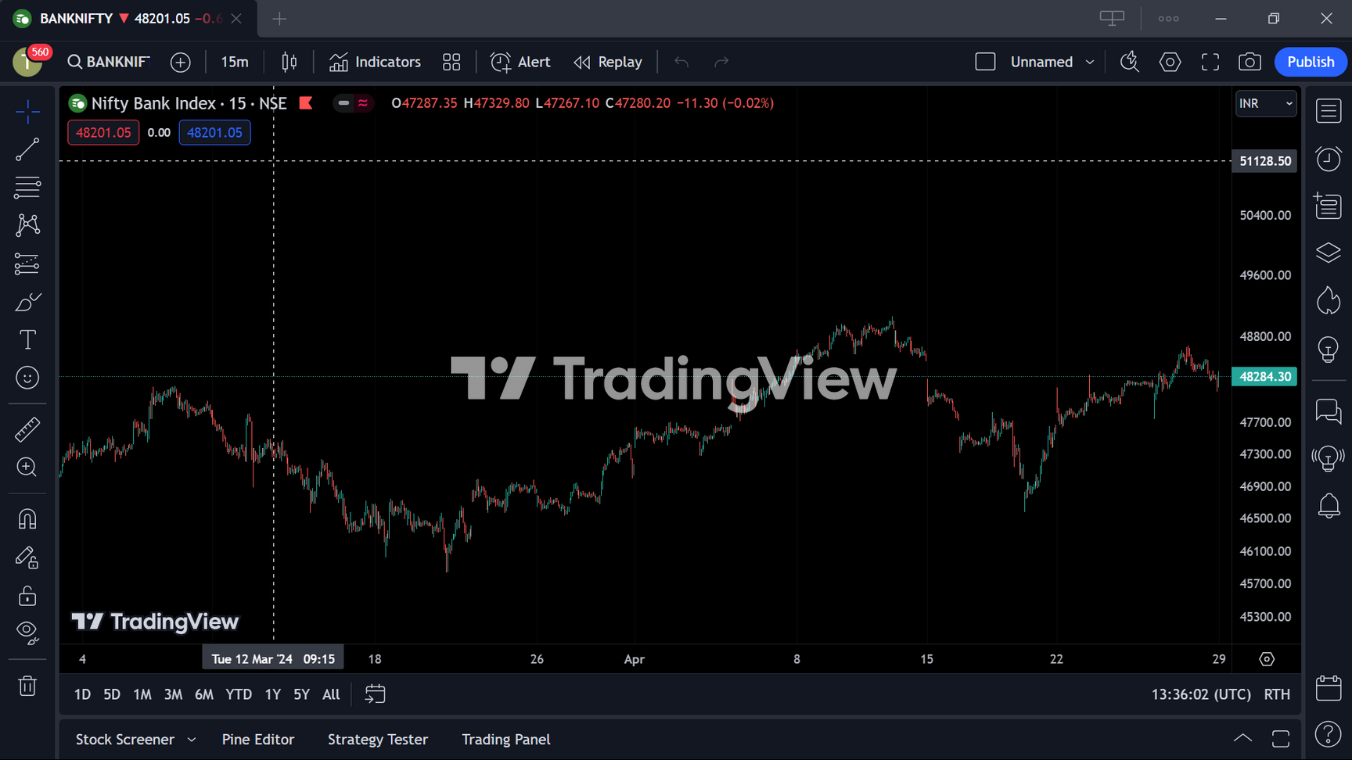
TradingView stands out as a highly accessible and versatile trading platform, known for its robust charting tools and vibrant social trading environment. This platform offers a free plan with options for upgrades, making it an appealing choice for both novice and experienced traders who seek advanced charting capabilities without a hefty price tag.
3.1.1. Key Features
TradingView is celebrated for its advanced charting tools that allow for detailed and customizable market analysis. The platform supports a wide range of indicators and drawing tools, making it ideal for technical analysis. Additionally, it includes features like:
- Cloud-based technology, ensuring accessibility from any device.
- Social trading features, enabling users to share strategies and discuss markets.
- Real-time data across multiple markets, including stocks, forex, cryptocurrencies, and more.
3.1.2. Strengths
- Free Plan Available: TradingView’s free plan offers significant functionality, which is a substantial advantage for traders looking to minimize costs.
- Advanced Charting Tools: The platform’s sophisticated charting capabilities are suitable for detailed technical analysis.
- Vast Indicator Library: Users have access to a broad range of technical indicators and graphical tools, enhancing analytical precision.
- Social Trading Community: TradingView boasts a large and active community where traders can exchange ideas and strategies.
3.1.3. Weaknesses
- Can Be Overwhelming for Beginners: The extensive features and options available on TradingView might be daunting for new traders.
- Limited Backtesting: While TradingView offers some backtesting capabilities, they may not be as comprehensive as those on some specialized platforms.
Ideal for
TradingView is particularly well-suited for social traders and chart enthusiasts who appreciate a community-driven approach to trading. It’s also a great option for those looking for a free or affordable platform that still offers extensive tools and data.
Comparison Table Against eSignal
| Feature | TradingView | eSignal |
|---|---|---|
| Cost | Free plan available; premium options are relatively affordable. | Subscription-based with potentially high data fees. |
| Interface | Modern, user-friendly, and customizable. | Some users find it outdated compared to newer platforms. |
| Key Features | Advanced charting, social trading, cloud-based access. | Extensive charting tools, real-time data, market alerts. |
| Ideal For | Social traders, technical analysis enthusiasts, budget-conscious traders. | Experienced traders who require detailed data and have less concern about costs. |
| Community Interaction | Extensive social features for sharing and learning from others. | Limited community features compared to TradingView. |
3.2. Thinkorswim
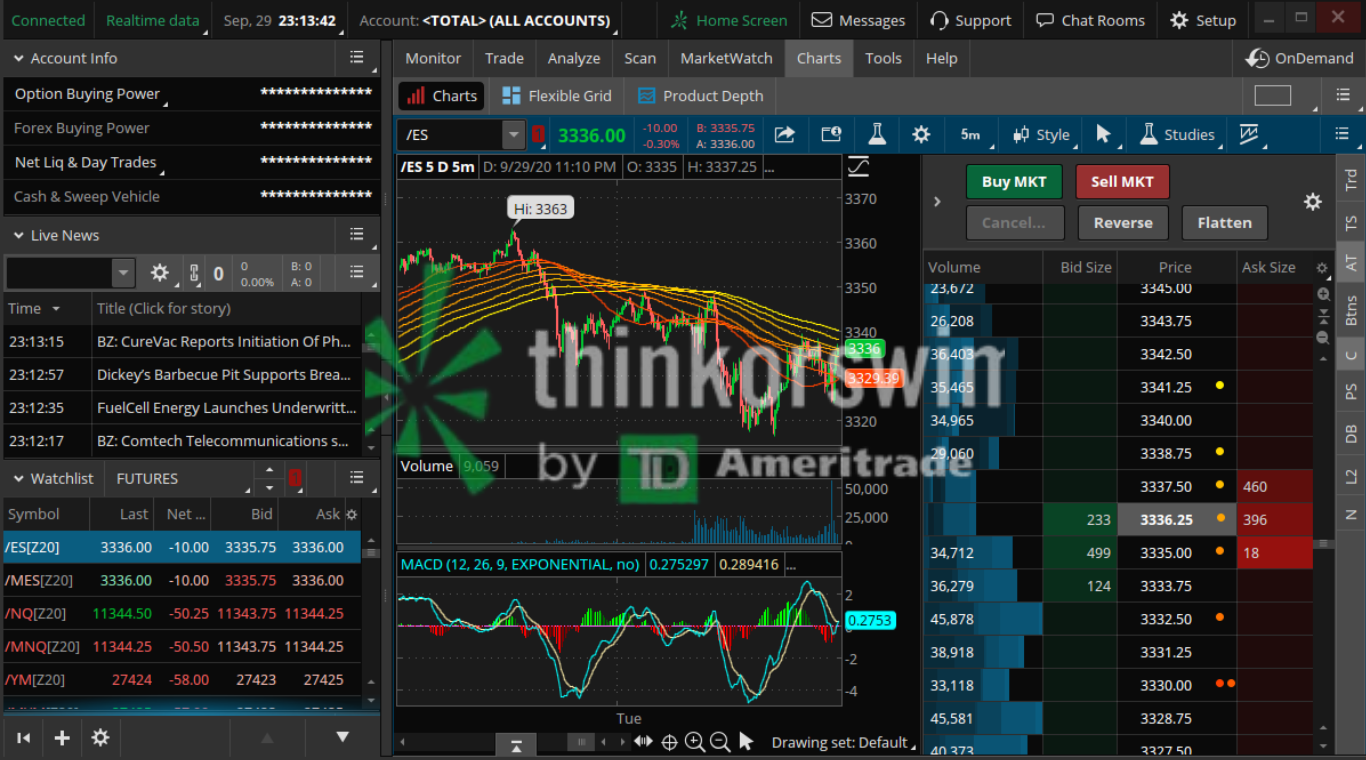
Thinkorswim, now a part of Charles Schwab following its acquisition of TD Ameritrade, continues to be a powerhouse in the trading platform market, especially favored by active and advanced traders. It offers a range of robust tools and features designed to provide a comprehensive trading experience, and recent enhancements have further improved its customization, ease of use, and data streaming capabilities.
3.2.1. Key Features
Thinkorswim is renowned for its:
- Advanced charting tools that support extensive customization to fit various trading strategies.
- Powerful options trading tools which include a wide array of analytics to assist traders in making informed decisions.
- Real-time data and analytics, ensuring traders have up-to-date information at their fingertips.
- Simulated trading environment with the thinkorswim paperMoney® feature, allowing traders to practice strategies without financial risk.
3.2.2. Strengths
- Powerful Platform for Active Traders: Thinkorswim is equipped with advanced tools that cater to active traders looking for in-depth analysis and rapid execution.
- Robust Options Trading Tools: It offers one of the most comprehensive sets of tools for options traders, enhancing their trading experience.
- Free Paper Trading: New and experienced traders alike can benefit from the paperMoney® feature, which allows for risk-free strategy testing.
- Continuous Enhancements: Recent updates have focused on increasing customization, improving ease of use, and providing more streaming data.
3.2.3. Weaknesses
- Steep Learning Curve: The platform’s range of features can be overwhelming for beginners.
- Resource Intensive: It requires a good amount of computing resources, which might be a constraint for some users.
Ideal for
Thinkorswim is particularly well-suited for options traders and experienced traders who require detailed analysis tools and a dynamic trading environment.
Comparison Table Against eSignal
| Feature | Thinkorswim | eSignal |
|---|---|---|
| Cost | Offers free paper trading; otherwise, cost depends on trading volume and chosen services. | Subscription-based, generally higher cost especially with additional data fees. |
| Interface | Highly customizable interface with a focus on advanced user needs. | Some users find the interface to be outdated. |
| Key Features | Extensive options trading tools, real-time data, paperMoney® for simulated trading. | Comprehensive charting tools, real-time data, market alerts. |
| Ideal For | Experienced traders and options traders looking for a robust platform with advanced capabilities. | Traders who can handle the subscription cost and need stable, reliable market data and tools. |
| Customization and Usability | Continuous enhancements to improve customization and ease of use. | Less focus on modern usability and customization compared to Thinkorswim. |
3.3. NinjaTrader
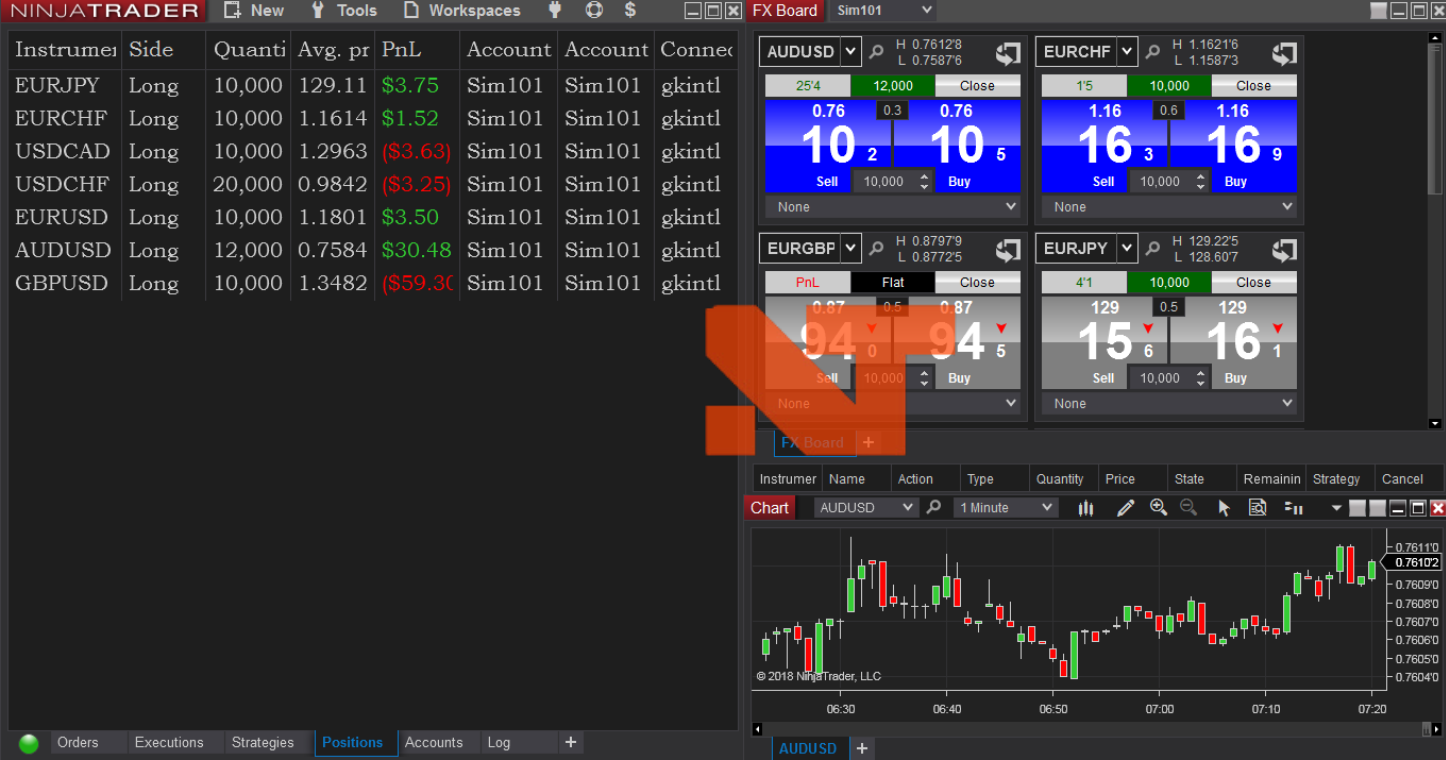
NinjaTrader is renowned for its powerful features tailored towards active futures and forex traders, offering a sophisticated environment for complex trading strategies. This platform is particularly favored by those who require high levels of customization and advanced technical analysis capabilities.
3.3.1. Key Features
NinjaTrader’s standout features include:
- Advanced Charting: Provides comprehensive charting tools, allowing extensive customization to suit various trading strategies.
- Automated Trading: Supports automated trading strategies through its own NinjaScript programming language.
- Market Simulation: Offers a market replay feature that allows traders to practice with historical data as if trading in real time.
- Extensive Add-Ons: A vast ecosystem of third-party apps and add-ons enhances functionality and customization.
3.3.2. Strengths
- High Customizability: Users can tailor almost every aspect of their trading environment, thanks to a robust framework for customization.
- Advanced Backtesting: Strong capabilities for backtesting trading strategies to ensure effectiveness before live deployment.
- Support for Algorithmic Trading: Facilitates advanced algorithmic trading strategies with its powerful NinjaScript.
- Low Trading Costs: Competitive pricing structure, with low commissions and access to multiple data feed options.
3.3.3. Weaknesses
- Complex for Beginners: The depth of features and customization options can be overwhelming for novice traders.
- No Native Mobile App: Lacks a dedicated mobile application, limiting trading on-the-go.
- Focused Mainly on Futures and Forex: While it supports a variety of markets, it is primarily optimized for futures and forex trading, which might be a limitation for those interested in other asset classes.
Ideal for
NinjaTrader is best suited for experienced traders and those involved in futures and forex markets who need a platform capable of detailed technical analysis and complex trading strategies. It’s also a great choice for algorithmic traders due to its advanced scripting capabilities.
Comparison Table Against eSignal
| Feature | NinjaTrader | eSignal |
|---|---|---|
| Cost | Offers low commission rates and competitive fees for data access. | Typically higher subscription fees with additional charges for data. |
| Interface | Highly customizable, catering to advanced users. | Some traders find the interface outdated. |
| Key Features | Advanced charting, automated trading, extensive third-party integration. | Comprehensive charting tools, real-time data, market alerts. |
| Ideal For | Traders who need deep customization and focus on futures and forex. | Traders who require stable and reliable data without needing deep customization. |
| Usability for Beginners | Steeper learning curve due to complexity. | More straightforward, though still has a learning curve. |
| Mobile Trading | No dedicated mobile app, less suitable for trading on-the-go. | No specific mobile limitations noted, generally good functionality on mobile devices. |
3.4. MetaStock
MetaStock is a powerful trading platform known for its comprehensive technical analysis tools and real-time data services, primarily targeting experienced traders who require detailed analytical capabilities.
3.4.1. Key Features
MetaStock offers a suite of features designed to enhance trading decisions:
- Advanced Charting Tools: Extensive charting options with customization capabilities.
- Real-Time Data and News: Integration with Refinitiv Xenith for real-time global financial news and data.
- Code-Free Backtesting: Allows users to test trading strategies without needing to write code.
- Adaptive Indicators: Features dynamic indicators that adjust based on market conditions.
- System Testing: Includes over 80 predefined trading systems for performance evaluation.
3.4.2. Strengths
- Comprehensive Analysis Tools: Offers over 300 charting options and indicators for various asset classes.
- Robust Backtesting and Forecasting: Provides advanced tools for strategy testing and market forecasting.
- High Customizability: Includes tools for creating custom analysis systems and indicators.
- Integration with Real-Time Data: Directly integrated with high-quality data feeds for accurate and up-to-date market information.
3.4.3. Weaknesses
- Complexity for Beginners: The wide array of features and detailed analytical tools can be overwhelming for new traders.
- Cost: While offering powerful tools, MetaStock can be on the expensive side, especially when including the cost for real-time data services.
Ideal for
MetaStock is best suited for technical traders and those who require in-depth analysis and real-time data to make informed trading decisions. It’s particularly beneficial for those trading stocks, ETFs, bonds, and forex globally.

Comparison Table Against eSignal
| Feature | MetaStock | eSignal |
|---|---|---|
| Cost | Higher cost, especially with added real-time data fees. | Subscription-based, potentially high with extra data fees. |
| Interface | Highly customizable with a steep learning curve. | Some users find it outdated, less customizable. |
| Key Features | Advanced charting, real-time news, code-free backtesting, over 80 trading systems. | Comprehensive charting tools, real-time data, market alerts. |
| Ideal For | Experienced traders needing detailed analysis and data. | Traders looking for reliable, straightforward market data and tools. |
| Real-Time Data and News | Integrated with Refinitiv Xenith for global financial news. | Offers real-time data but less emphasis on global news coverage. |
| Backtesting and System Testing | Advanced backtesting without needing coding, extensive system testing features. | Provides robust tools but may not be as advanced in backtesting flexibility. |
3.5. TC2000
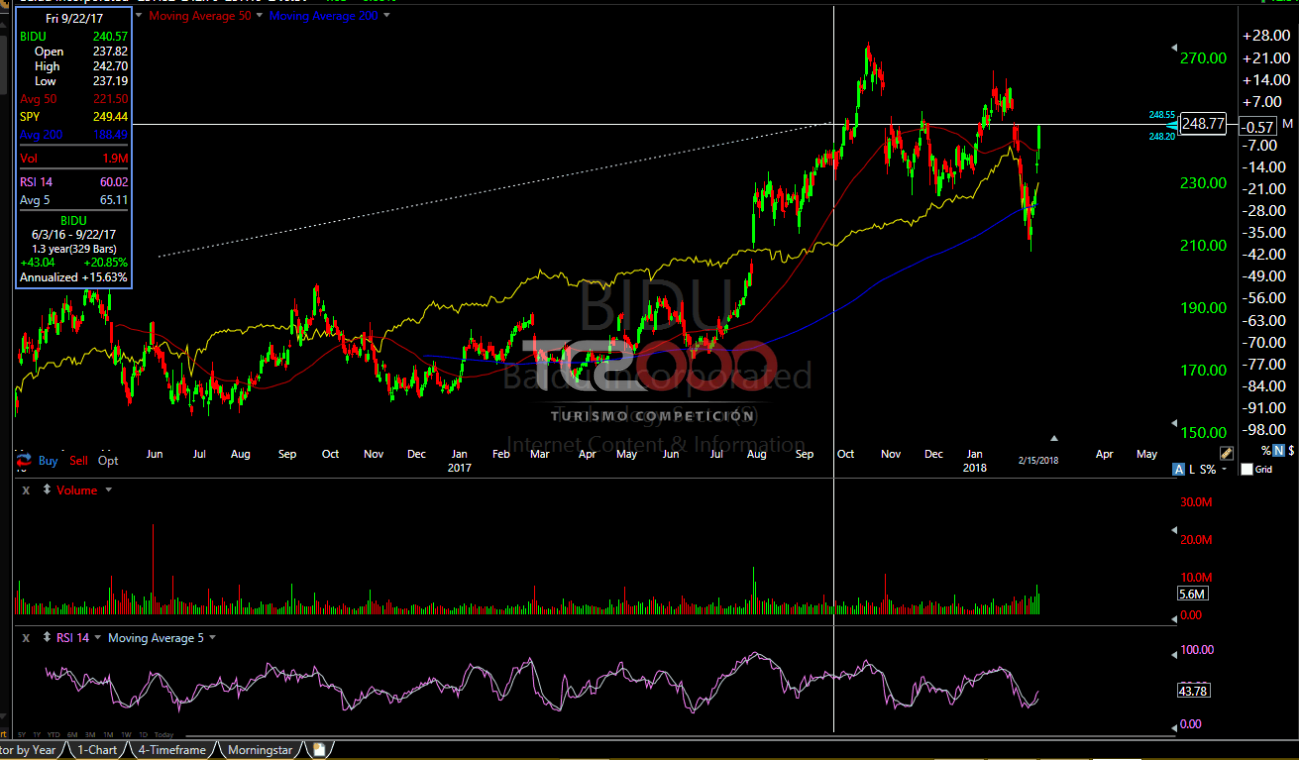
TC2000 is widely recognized for its exceptional charting capabilities and user-friendly interface, making it a popular choice among traders who prioritize efficient and powerful technical analysis tools.
3.5.1. Key Features
TC2000 is celebrated for several key functionalities:
- Advanced Charting: Offers a variety of technical indicators, drawing tools, and customizable chart options.
- Dynamic Watchlists: Features highly customizable watchlists that can be adjusted and organized according to trader needs.
- Real-Time Data: Provides quick access to real-time market data and news, which is crucial for timely decision-making.
- Integrated Trading Tools: Includes seamless integration with brokerage services for direct trading from the platform.
3.5.2. Strengths
- User-Friendly Interface: Known for its intuitive layout that simplifies navigation and enhances trading efficiency.
- Powerful Scanning Tools: Includes EasyScan® which can scan thousands of stocks in seconds to identify trading opportunities.
- Versatile Customization: Allows extensive customization of tools and layouts to fit individual trading styles
3.5.3. Weaknesses
- Limited Backtesting Capabilities: While TC2000 excels in many areas, it lacks robust backtesting features, which can be a drawback for traders who rely heavily on historical data for strategy testing.
- Focus Primarily on U.S. Markets: Mainly caters to U.S. stocks and options, which might limit its usefulness for traders interested in global markets or other asset classes.
Ideal for
TC2000 is particularly well-suited for U.S. stock and options traders who need powerful charting and real-time scanning capabilities. It is also ideal for traders who appreciate a platform that combines analysis and trading in one seamless interface.
Comparison Table Against eSignal
| Feature | TC2000 | eSignal |
|---|---|---|
| Cost | Offers competitive pricing with various service levels. | Subscription-based, can be costly with extra data fees. |
| Interface | Intuitive and user-friendly with customizable features. | Some users find it outdated compared to newer platforms. |
| Key Features | Advanced charting, real-time data, integrated trading tools. | Comprehensive charting tools, real-time data, market alerts. |
| Ideal For | Traders who prefer a streamlined platform combining analysis and trading. | Traders needing detailed data and market alerts without integration with brokerage. |
| Customization and Usability | Highly customizable interface and tools. | Less customizable, focuses more on data than trader interaction. |
| Market Focus | Primarily U.S. markets with a focus on stocks and options. | Broader market access but less specialized tools for specific markets. |
4. Factors to Consider When Choosing the Right Platform
Selecting the right trading platform involves considering various factors that align with your trading needs and preferences. Here are the key considerations:
4.1. Cost
Cost is a crucial factor for most traders. You need to evaluate not only the upfront fees or subscription costs but also any additional charges such as data fees, inactivity fees, or costs associated with specific trading actions like executing trades on foreign exchanges.
4.2. Ease of Use
The user interface and overall user experience are essential, especially for beginners. A platform that is easy to navigate and understand can significantly enhance trading efficiency and effectiveness.
4.3. Features
Different traders require different tools. Some might prioritize advanced charting tools and technical indicators, while others might look for robust backtesting software or news feeds. The right platform should match the specific features that support your trading strategies.
4.4. Asset Classes
Depending on what you are interested in trading—stocks, options, forex, futures, or cryptocurrencies—your platform choice might differ. Some platforms specialize in specific asset classes, offering more comprehensive tools and resources for those markets.
4.5. Customer Support
Good customer support can be vital, especially when you encounter issues related to trades or technical problems. The availability of timely support via phone, email, or live chat can make a significant difference.
4.6. Community and Educational Resources
For many traders, especially beginners, having access to a community and educational resources can be incredibly beneficial. These resources can help traders learn and develop new strategies, stay updated on market trends, and get more out of the trading platform.
4.7. Mobile Access
In today’s fast-paced trading environment, mobile access allows traders to monitor markets, execute trades, and manage accounts from anywhere at any time, which can be a significant advantage.
| Factor | Description |
|---|---|
| Cost | Consider both subscription fees and additional charges. |
| Ease of Use | A user-friendly interface is crucial for efficient trading. |
| Features | Essential tools vary per trader; identify what supports your strategy. |
| Asset Classes | Choose platforms that specialize in your market of interest. |
| Customer Support | Ensure support is accessible and effective. |
| Community Resources | Look for platforms offering learning tools and community engagement. |
| Mobile Access | The ability to trade and monitor on the go can enhance trading flexibility. |
5. Choosing the Right Platform for Your Trading Style
Selecting the right trading platform is crucial and should be aligned with your specific trading style. Here’s how different types of traders might choose the best platform for their needs:
5.1. Day Traders
Day traders need platforms that can handle high-speed trading and provide real-time data. Key features include ultra-low latency, direct market access, and the ability to quickly enter and exit trades. Platforms that offer advanced charting capabilities and customizable interfaces can also help day traders react swiftly to market changes.
5.2. Swing Traders
Swing traders hold positions for several days to several weeks and require platforms that offer detailed technical analysis tools. Features like a wide range of indicators, backtesting capabilities, and charting tools are crucial. Additionally, access to historical data and the ability to analyze price patterns over longer periods can be beneficial.
5.3. Options Traders
Options traders need platforms that provide sophisticated options analytics tools, such as options Greeks, implied volatility displays, and advanced options strategies visualization. Platforms that integrate these tools seamlessly and provide educational resources on options trading are typically preferred.
5.4. Long-term Investors
Long-term investors benefit from platforms that offer robust fundamental analysis tools, including access to financial statements, market news, and analyst reports. Platforms that allow for easy portfolio tracking and management, as well as tools for assessing portfolio performance over time, are also important.
5.5. Beginners
Beginners should look for platforms that are user-friendly and provide a wealth of educational resources to help them learn the basics of trading and investing. Good customer support, interactive tutorials, and the availability of practice trading accounts (demo accounts) are essential features that can help new traders gain confidence.
| Trader Type | Key Platform Features Needed |
|---|---|
| Day Traders | High-speed execution, real-time data, advanced charting. |
| Swing Traders | Extensive charting tools, backtesting, historical data access. |
| Options Traders | Options analytics, visualization tools, educational resources. |
| Long-term Investors | Fundamental analysis tools, portfolio tracking, market news. |
| Beginners | User-friendly interface, educational resources, demo accounts. |
Each trader’s needs are unique, and the best platform is one that aligns closely with their specific trading goals and strategies. By carefully considering these factors, traders can make more informed decisions and choose a platform that will support their trading activities effectively.
Conclusion
Choosing the right trading platform is a pivotal decision that can significantly influence your trading success. This guide has explored various alternatives to eSignal, each with its own strengths and ideal use cases, ranging from day trading to long-term investing. We’ve also covered essential factors to consider, like cost, ease of use, features, and asset class coverage, which should guide your decision according to your trading style.
Recap of Top Alternatives:
- TradingView: Best for social traders and those seeking robust charting tools.
- Thinkorswim: Ideal for advanced traders and options trading.
- NinjaTrader: Preferred for futures and forex traders with a need for high customization.
- MetaStock: Suitable for traders who require comprehensive technical analysis and real-time data.
- TC2000: Great for U.S. stock and options traders who value usability and integrated trading tools.
Ultimately, the best platform is one that not only meets your current needs but also grows with your trading skills and strategies. It’s advisable to take advantage of demos or free trials offered by these platforms to get a firsthand experience of their features and usability before making a commitment.