

1. Introduction
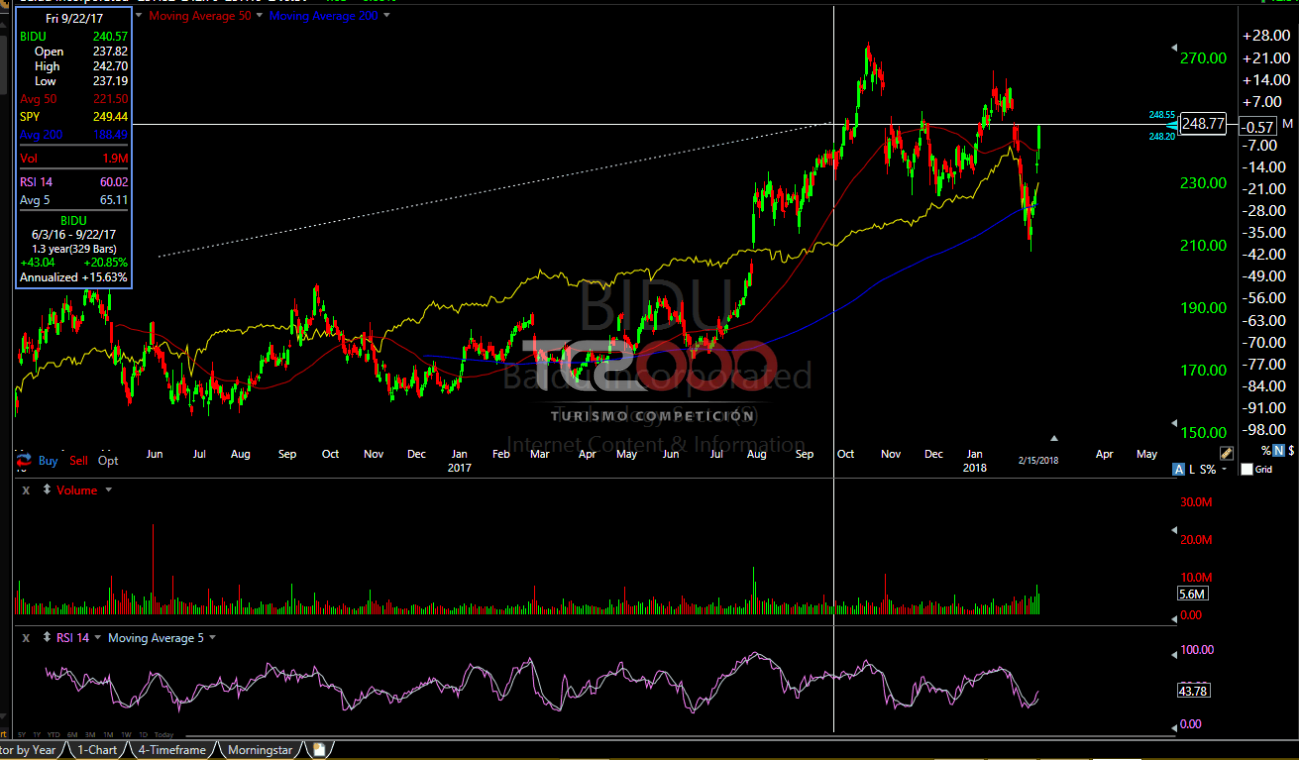
TC2000 is renowned for its powerful charting and technical analysis capabilities, catering primarily to traders who demand detailed and dynamic market analysis tools. Despite its many strengths, such as robust analytical tools and real-time data integration, some traders seek alternatives due to factors like cost, focus on specific features, or preferences for a different user interface.
| Key Point | Details |
|---|---|
| Platform Focus | TC2000: Charting and Technical Analysis |
| Reasons for Alternatives | Cost, feature focus, user interface preferences |
| Article Intent | Explore top TC2000 alternatives for informed trader choice |
2. Top 5 Alternatives of TC2000
2.1. TradingView
2.1.1. Overview
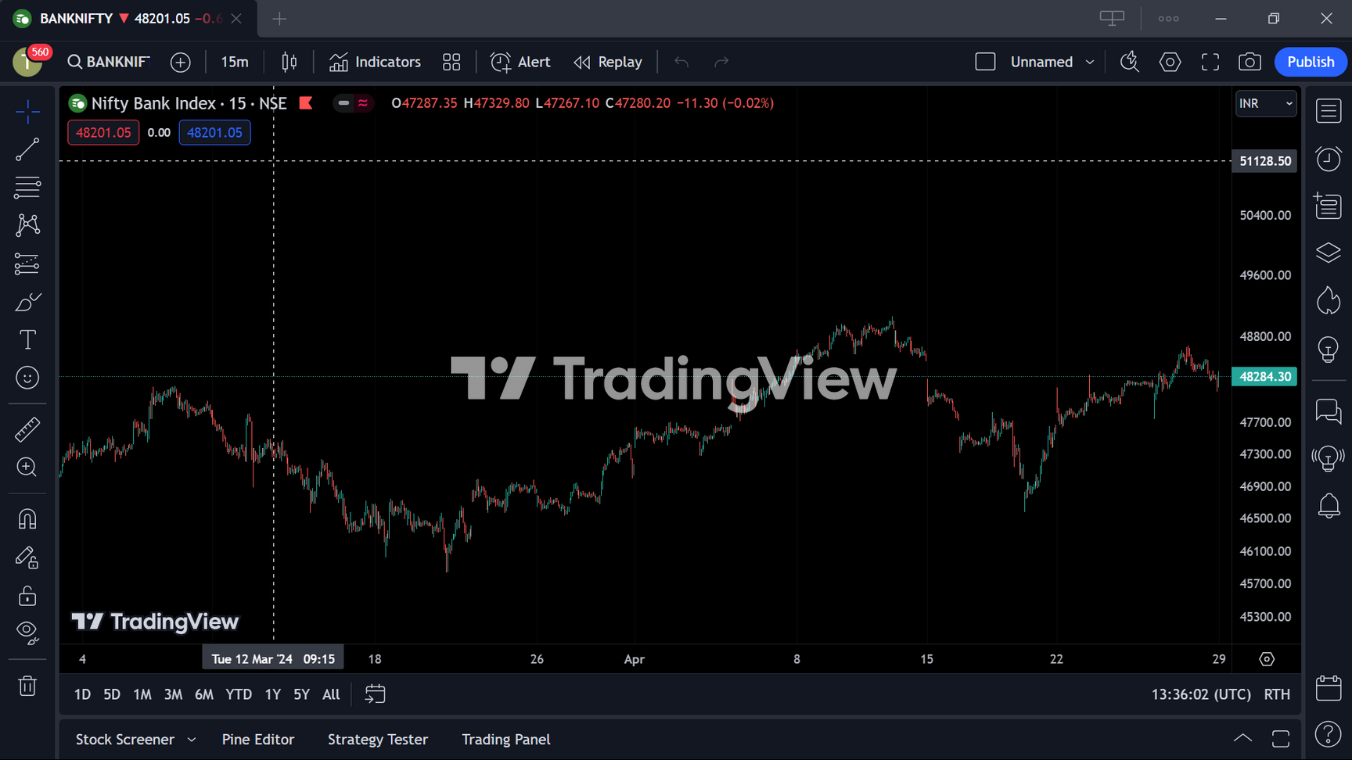
TradingView stands out as a robust, cloud-based charting and social networking platform that caters to both beginner and professional traders. Launched in 2012, it has grown into a vital tool for financial analysis, offering a unique combination of charting software and a vibrant community where traders share insights and strategies.
2.1.2. Key Features
- Multi-timeframe analysis: Seamless integration across various time frames.
- 400+ built-in indicators and strategies: Comprehensive tools for in-depth market analysis.
- Customizable charts: Extensive customization options, including different chart types like Renko, Kagi, and Point & Figure.
- Pine Script®: Allows users to craft custom indicators and automate strategies.
- Social trading features: Engage with a community of over 60 million users for collaboration and sharing trading ideas.
2.1.3. Pros
- Extensive range of technical indicators provides traders with varied analytical tools.
- Vibrant social trading community enhances learning and idea exchange.
- Flexible pricing tiers, including a functional free option.
- Modern, intuitive interface makes navigation and operation smooth.
2.1.4. Cons
- Complexity for beginners due to the depth of features and customization options.
- Real-time market data restricted to higher-priced tiers, which can increase costs.
2.1.5. Ideal For
TradingView is perfect for traders who desire a powerful, all-in-one platform with robust social interactions and don’t mind a learning curve to fully utilize its extensive features.
Comparison Table Against TC2000
| Feature | TradingView | TC2000 |
|---|---|---|
| Chart Types | Over 15 types including Renko, Kagi, Point & Figure | Primarily candlestick and bar charts |
| Indicators | 400+ built-in, 100,000+ public indicators | Numerous, but less than TradingView |
| Customization | High customization with Pine Script® | Less customizable, focuses more on pre-built tools |
| Pricing | Free to $59.95/month | Generally starts higher without a free tier |
| User Interface | Modern and user-friendly | More traditional, could feel dated |
| Community | Extensive social network features | Limited social features |
| Market Data | Real-time data available on premium plans | Real-time data standard but at a cost |
| Device Support | Accessible on any device via cloud | Desktop-focused, less flexible than TradingView |
2.2. TrendSpider
2.2.1. Overview
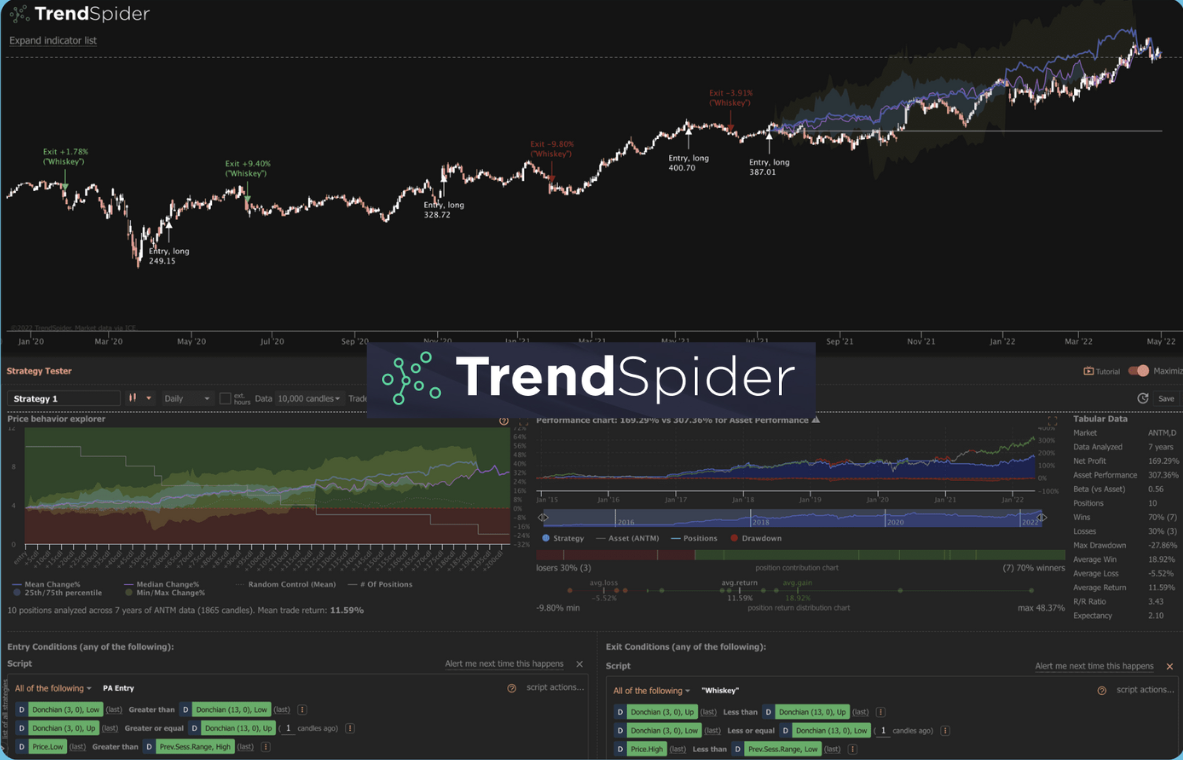
TrendSpider is recognized as a cutting-edge platform in the realm of automated technical analysis. Founded in 2016, it integrates advanced machine learning algorithms to automate the detection of patterns and technical signals in trading data. This makes it an invaluable tool for traders who require precision and efficiency in their market analysis and decision-making processes.
2.2.2. Key Features
- Automated Technical Analysis: Utilizes AI to automatically plot trendlines, recognize candlestick patterns, and identify optimal trading signals.
- Multi-Timeframe Analysis: Allows for simultaneous viewing of various timeframes to provide comprehensive insights into market trends.
- Custom Alerts: Users can set complex, multi-conditional alerts based on a mix of technical indicators and candlestick patterns.
- Backtesting Capabilities: Offers robust backtesting tools to validate trading strategies before execution.
- Market Scanners: Enables scanning of the market with custom filters to quickly identify trading opportunities.
2.2.3. Pros
- Highly Automated Tools: Reduces the time and effort needed for manual chart analysis.
- Advanced Pattern Recognition: Incorporates over 150 different candlestick patterns and technical indicators.
- Inclusive Data Coverage: Provides real-time data for stocks, ETFs, forex, cryptocurrencies, and more.
- Educational Support: Access to 1-on-1 training and a comprehensive suite of educational resources.
2.2.4. Cons
- Complex for Beginners: The wealth of features and automated systems can be overwhelming for new users.
- Lack of Social Networking Features: Does not offer the community-driven aspects found in some competing platforms like TradingView.
2.2.5. Ideal For
TrendSpider is best suited for traders who emphasize technical analysis and are looking for a platform that can automate much of the process, allowing for more precise and efficient trading decisions.
Comparison Table Against TC2000
| Feature | TrendSpider | TC2000 |
|---|---|---|
| Technical Analysis | Advanced AI and automated analysis | Manual with some automated tools |
| User Interface | Modern and customizable, though complex | User-friendly but less modern |
| Data Coverage | Extensive, including real-time for various markets | Broad but varies by plan |
| Automation | High-level automation for analysis and alerts | Basic automation, more manual interaction required |
| Educational Tools | Strong educational tools, including 1-on-1 sessions | Basic educational resources |
| Community Features | Lacks a social networking component | Limited social features |
| Pricing | Starts at $97/month, with significant discounts for annual plans | Starts at a higher price point without a free tier |
2.3. NinjaTrader
2.3.1. Overview
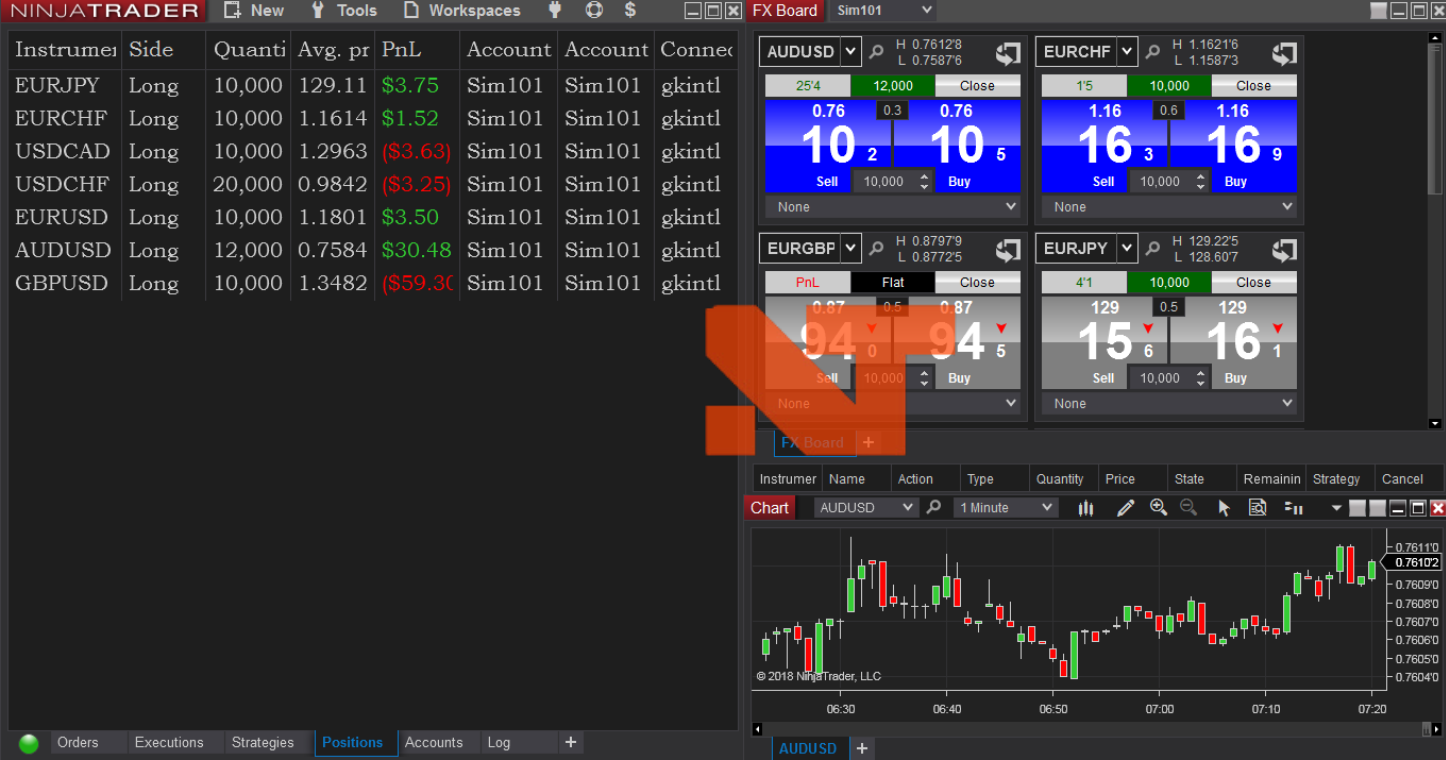
NinjaTrader is renowned for its sophisticated and powerful trading tools that cater especially to futures, forex, and stock traders. Established in 2003, NinjaTrader offers a comprehensive trading platform that is known for its advanced charting and trade simulation capabilities, appealing especially to active and professional traders.
2.3.2. Key Features
- Advanced Charting: Highly detailed and customizable charting capabilities.
- Market Replay: Enables users to download historical data and replay trading sessions for backtesting.
- Automated Trading: Supports automated trading strategies with its own scripting language, NinjaScript, which is highly appreciated by users for its flexibility.
- Order Flow +: A premium feature set that provides advanced visualizations and trading tactics based on real-time order flow data.
- Comprehensive Data Feeds: Supports multiple data feed options, including Kinetick for end-of-day data and both Continuum and Rithmic for real-time data feeds.
2.3.3. Pros
- Extensive Customization: Offers customizable dashboards and a wide array of analytical tools.
- Robust Technical Analysis: Provides a multitude of technical indicators and tools for detailed market analysis.
- Simulated Trading: Features a robust simulated trading environment for practice and strategy testing without financial risk.
2.3.4. Cons
- Complex Interface: Can be challenging to navigate for beginners due to its comprehensive features.
- Limited Mobile Support: Does not currently offer a native mobile application, which can be a drawback for traders who prefer mobile trading.
- Narrow Asset Focus: Primarily focused on futures and forex, which might be limiting if you’re interested in a broader range of asset classes.
2.3.5. Ideal For
NinjaTrader is ideal for experienced traders who need detailed analytical tools, enjoy customizing their trading environment, and focus primarily on futures and forex trading.
Comparison Table Against TC2000
| Feature | NinjaTrader | TC2000 |
|---|---|---|
| Asset Classes | Focuses on futures, forex | Broad range, including stocks and ETFs |
| User Interface | Highly customizable but complex | User-friendly with less customization |
| Mobile Trading | No native app, limited mobile capabilities | Offers a functional mobile app |
| Trading Tools | Extensive tools, including advanced charting and automation | Strong charting capabilities but less emphasis on automation |
| Pricing | Free platform available, with options for licensing | Subscription-based with different tiers |
| Data Feeds | Multiple options including real-time feeds | Mainly in-house data, less flexibility |
| Market Analysis | Advanced tools for technical analysis | Comprehensive but less advanced than NinjaTrader |
2.4. MotiveWave
2.4.1. Overview
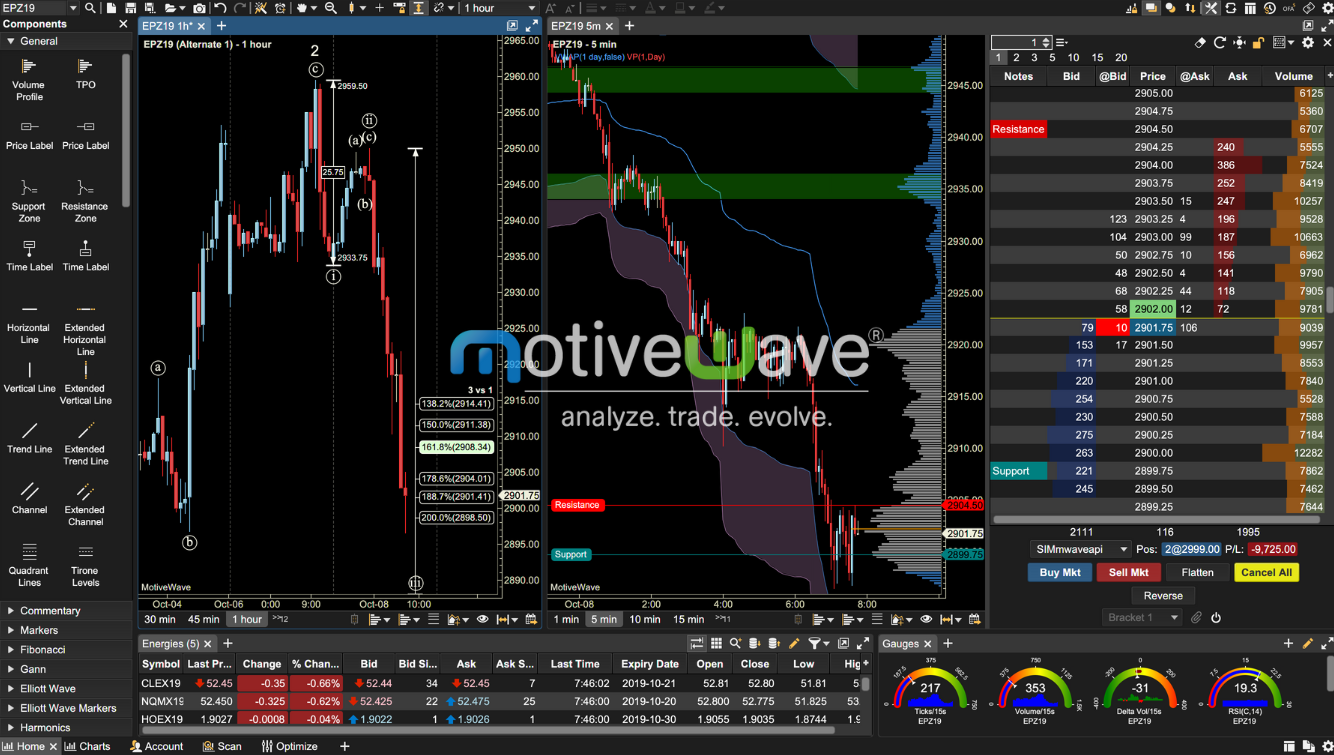
MotiveWave is a comprehensive and advanced trading platform known for its specialized tools in Elliott Wave analysis and Fibonacci techniques. It supports a wide range of other technical analysis tools and offers customizability, making it suitable for traders who require in-depth analytical capabilities.
2.4.2. Key Features
- Elliott Wave Analysis: Advanced tools for detailed Elliott Wave pattern recognition and forecasting.
- Fibonacci Tools: Extensive range of Fibonacci analysis tools to help identify key market levels.
- Advanced Charting: Provides over 300 studies and strategies, along with various chart types like Renko, Point & Figure, and Heikin-Ashi.
- Customization: High level of customization in charts and indicators to suit individual trader needs.
- Multi-Broker Support: Compatible with multiple brokers and data services, offering flexibility in trading execution.
2.4.3. Pros
- Depth of Analysis: Offers deep analytical tools particularly for Elliott Wave and Fibonacci analyses.
- Customizability: Highly customizable interface and analytical tools.
- Cross-Platform Support: Available on Windows, macOS, and Linux, accommodating a variety of users.
2.4.4. Cons
- Complexity: Its range of advanced features can be overwhelming for beginners.
- Cost: Pricing can be a barrier for some traders, as it is generally on the higher side compared to some other platforms.
2.4.5. Ideal For
MotiveWave is ideal for advanced traders who focus on technical analysis and need robust tools like Elliott Wave and Fibonacci for their trading strategies.
Comparison Table Against TC2000
| Feature | MotiveWave | TC2000 |
|---|---|---|
| Technical Analysis | Advanced with Elliott Wave, Fibonacci, and over 300 studies | Strong but less focused on advanced pattern recognition |
| User Interface | Highly customizable and detailed | User-friendly with less customization |
| Platform Support | Windows, macOS, and Linux | Mainly Windows and macOS |
| Pricing | Higher-end, with various licensing options | Subscription-based with different tiers |
| Ease of Use | Steeper learning curve due to complexity | More straightforward and easier for beginners |
| Broker Integration | Supports multiple brokers and data feeds | Limited broker integration compared to MotiveWave |
2.5. MetaStock
2.5.1. Overview
MetaStock is a highly sophisticated trading platform known for its comprehensive technical analysis capabilities and real-time data integration. It caters primarily to professional traders who require in-depth charting, analytical tools, and global market data. Established as a robust platform, MetaStock offers features that support various trading activities including stock screening, backtesting, and strategy execution.
2.5.2. Key Features
- Extensive Charting Options: Provides over 300 chart types and technical indicators, allowing for detailed market analysis.
- Real-Time Data: Integrates with Refinitiv Xenith for real-time global market data and news.
- Advanced Backtesting: Offers robust tools for testing trading strategies against historical data.
- Expert Advisor: Generates buy and sell signals and offers guidance on market conditions.
- Customizable Interface: Users can tailor the platform to their specific needs, enhancing productivity and ease of use.
2.5.3. Pros
- Comprehensive Data Coverage: Access to a vast array of global data including stocks, futures, and forex.
- Powerful Analysis Tools: Extensive selection of technical indicators for precise market analysis.
- Flexible Subscription Options: Available in both subscription and one-time purchase formats, catering to different user needs.
2.5.4. Cons
- Complex Interface: May present a steep learning curve for beginners.
- Cost: The comprehensive features and data integration come at a higher price point compared to some competitors.
2.5.5. Ideal For
MetaStock is best suited for advanced traders who need detailed analytical tools and have a firm understanding of technical analysis. It’s particularly valuable for those who rely heavily on historical data and real-time information to make informed trading decisions.

Comparison Table Against TC2000
| Feature | MetaStock | TC2000 |
|---|---|---|
| Data Access | Real-time global data through Refinitiv Xenith | Real-time data but more limited in scope |
| Technical Analysis | Over 300 chart types and indicators, expert advisor systems | Comprehensive but less extensive than MetaStock |
| Usability | Complex, with a steep learning curve | More straightforward and user-friendly |
| Pricing | Higher cost, subscription or one-time purchase | Subscription-based, generally more affordable |
| Customization | Highly customizable to user preferences | Customizable but less extensive than MetaStock |
3. Factors to Consider When Choosing a TC2000 Alternative
When selecting a trading platform alternative to TC2000, several key factors should be considered to ensure the platform meets your specific trading needs and preferences. Here’s a detailed look at each factor:
3.1. Trading Style:
- Day Trading: Day traders need platforms that provide real-time data, fast execution, and advanced charting to make quick decisions.
- Swing Trading: Swing traders benefit from tools that help identify trends and patterns over several days or weeks, thus requiring multi-timeframe analysis and technical indicators.
- Long-Term Investing: Investors focusing on the long term may prioritize platforms offering in-depth fundamental analysis tools, news feeds, and integration with long-term investment strategies.
3.2. Technical Expertise:
- Beginners: Should look for user-friendly platforms with intuitive interfaces, basic market data, educational resources, and robust customer support.
- Advanced Users: Experienced traders might prefer platforms with complex charting tools, extensive indicator libraries, advanced order types, and customization capabilities.
3.3. Features:
- Indicators and Tools: Essential for technical analysis; include trend indicators, volume measures, and oscillators.
- Drawing Tools: Necessary for manual technical analysis like trend lines and Fibonacci retracement levels.
- Backtesting: Allows traders to test strategies against historical data.
- Automated Trading: Some traders need platforms that support algorithmic or automated trading systems.
- Screener Functionality: Helpful for identifying potential trading or investing opportunities based on specified criteria.
3.4. Cost:
- Subscription vs. One-Time Fee: Some platforms charge monthly or annual fees, while others may offer a one-time purchase price.
- Additional Costs: Consider potential costs for extra features, data feeds, or increased capability.
- Free Trial: Many platforms offer a free trial period which can be useful to test before committing financially.
3.5. Usability:
- Learning Curve: Some platforms are more complex and require a learning period.
- User Interface: The interface should be intuitive and align with your workflow preferences.
- Accessibility: Consider if the platform is accessible on different devices like desktops, tablets, and smartphones.
| Factor | Description | Importance by Trader Type |
|---|---|---|
| Trading Style | Align platform capabilities with your trading frequency and strategy. | Critical for all types |
| Technical Expertise | Match platform complexity with your experience level. | Higher for advanced users |
| Features | Essential tools and functionalities for trading. | Must align with specific needs |
| Cost | Consider overall expense including subscriptions and add-ons. | Balance cost with value provided |
| Usability | Ease of use, interface, and accessibility. | Key for long-term usability |
Conclusion
Selecting an appropriate trading platform alternative to TC2000 is pivotal in aligning with your trading strategies, market analysis requirements, and personal preferences. No single platform fits all trading needs, making it essential to consider various factors like trading style, technical expertise, key features, cost, and usability.
For traders looking for more sophisticated analysis tools or specific features like automated trading and extensive backtesting capabilities that TC2000 might lack, platforms like TradingView, TrendSpider, NinjaTrader, MotiveWave, and MetaStock offer viable alternatives. Each comes with unique strengths and may cater better to different types of traders—from day traders to long-term investors.
Ultimately, the decision should be driven by the specific needs and preferences of the individual trader. Exploring platforms through free trials, assessing their interfaces and functionalities, and considering long-term usability will help in making an informed choice. This tailored approach ensures that traders maximize their efficiency and success in the markets.
Remember, the best trading platform is one that not only complements your trading style but also enhances your decision-making process with appropriate tools and resources.